Ecolab: Enhancing Task Management for Restaurant Teams
My opportunity to lead UX efforts in a real-world enterprise product during my internship.
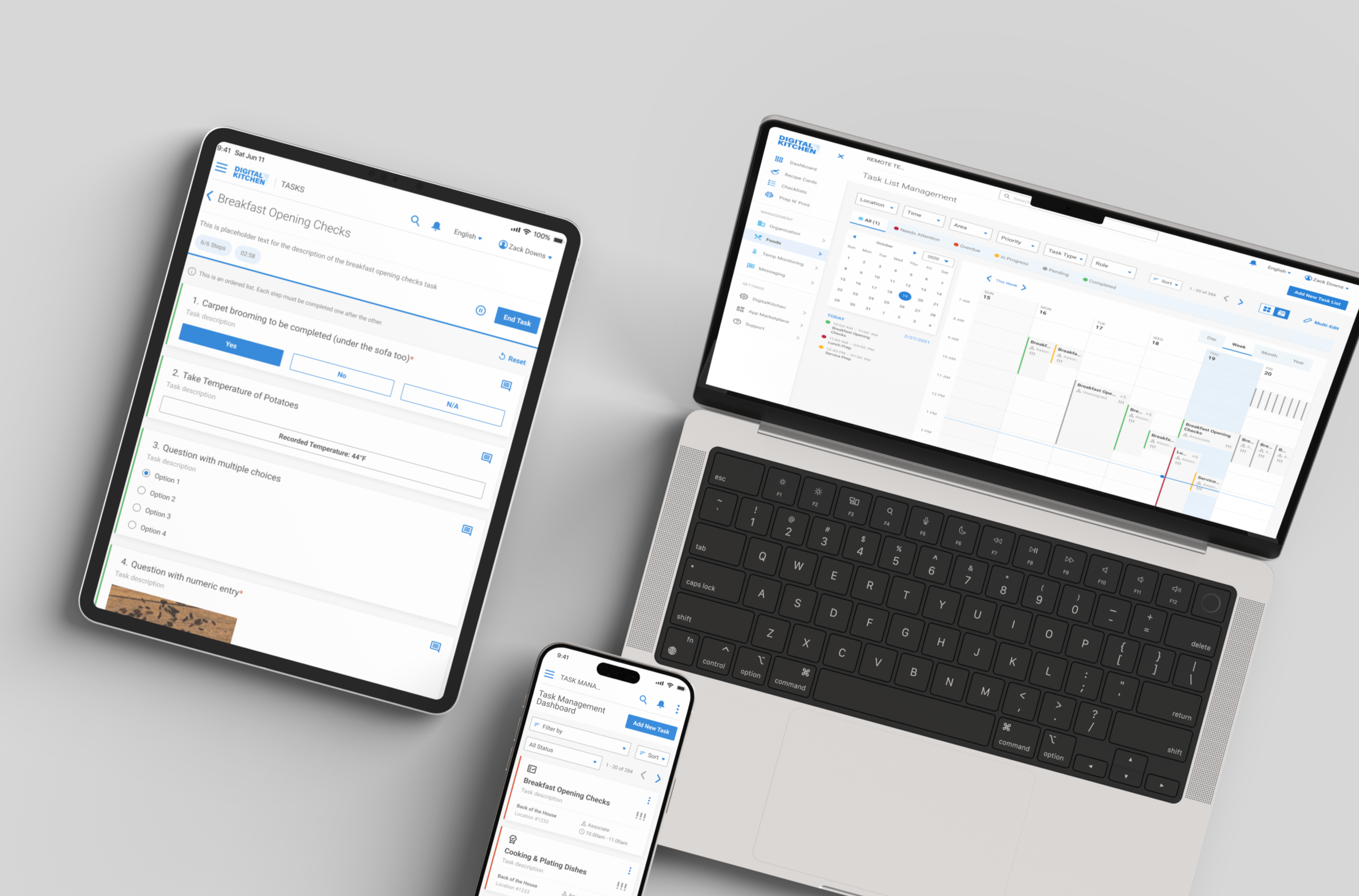
Giving managers visibility and workers clarity, one task at a time.
- Market Analysis
- Sitemap & Task Flow Mapping
- Hi-fidelity Mockups
- Product & Dev Collaboration
At A Glance
I began with a product walkthrough and stakeholder discussions to understand the system's complexity, training overhead, and why managers struggled to complete simple tasks independently.
A competitive analysis and informal field insights helped me identify usability gaps and opportunities to simplify task creation, assignment, and tracking across roles.
I collaborated with PMs and developers to define role-specific user flows, then created a detailed sitemap and high-fidelity mockups to streamline the manager and line worker experience.
My designs introduced a more intuitive structure, reduced support dependency, and helped lay the foundation for a scalable, self-service task management system.
How It Started
My Approach
Skip to solutionCollect Product Requirements
Analyse the Market & User
Create User Flows & Sitemaps
Design Hi-fidelity Mockups
1. Collecting Product Requirements
About the Product
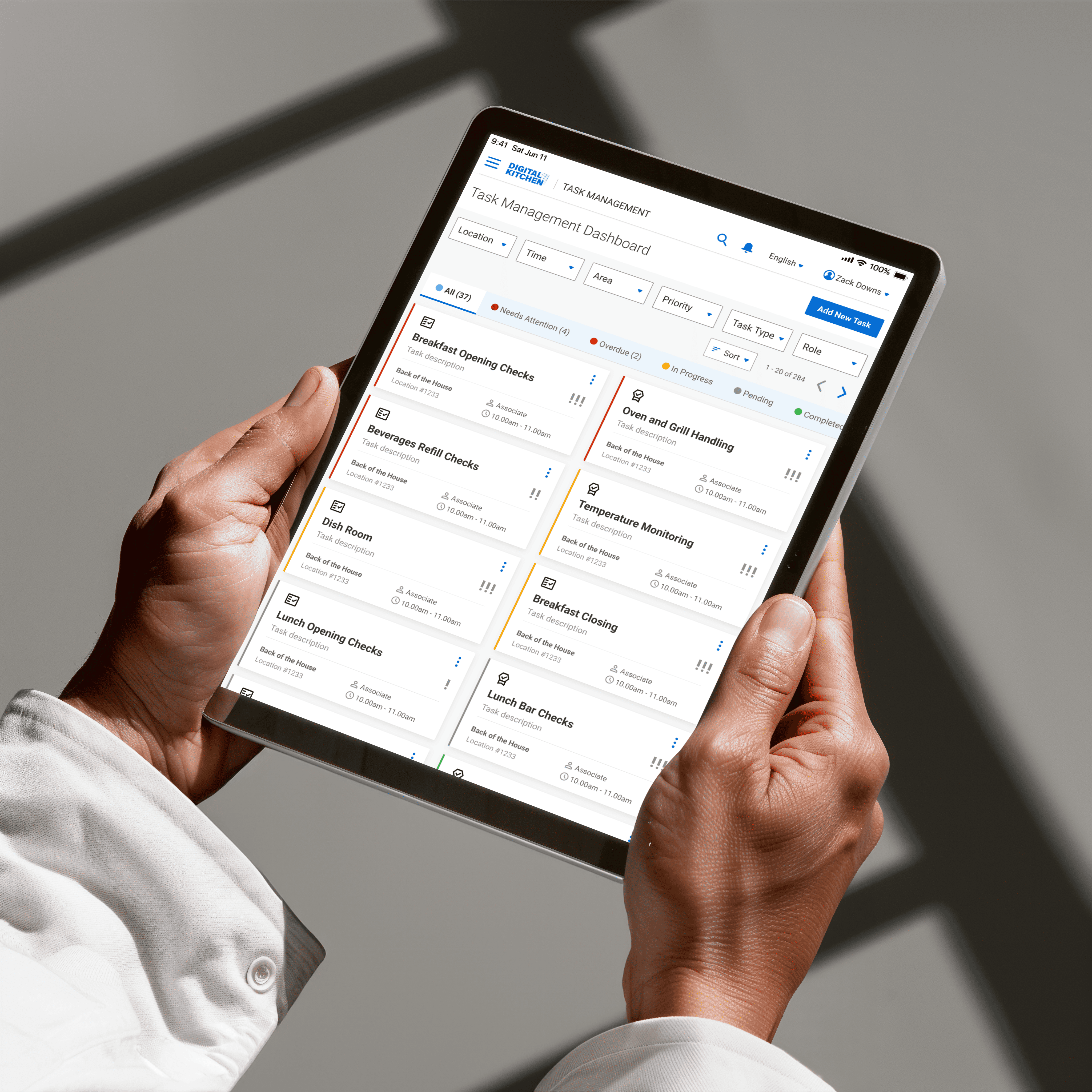
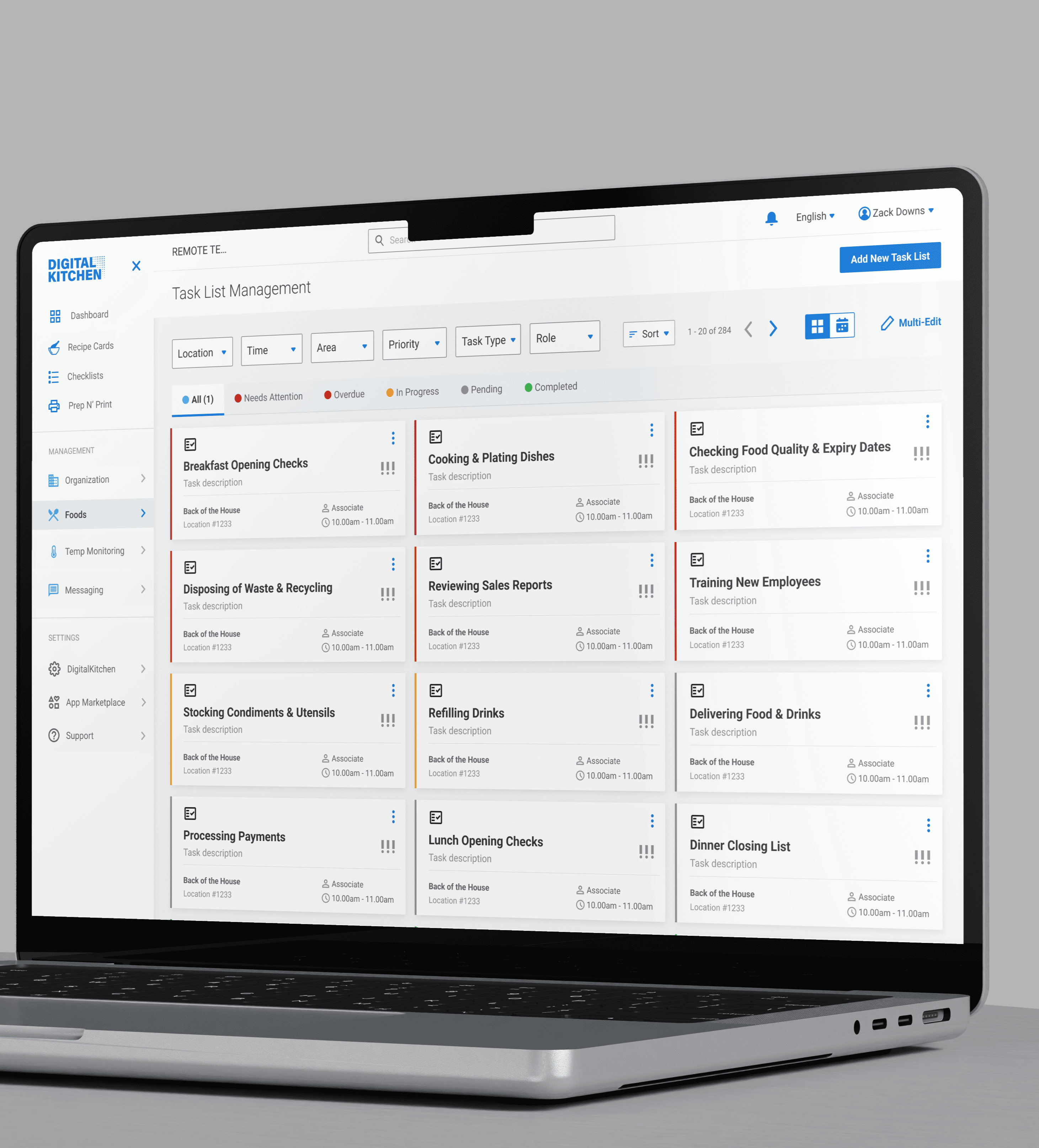
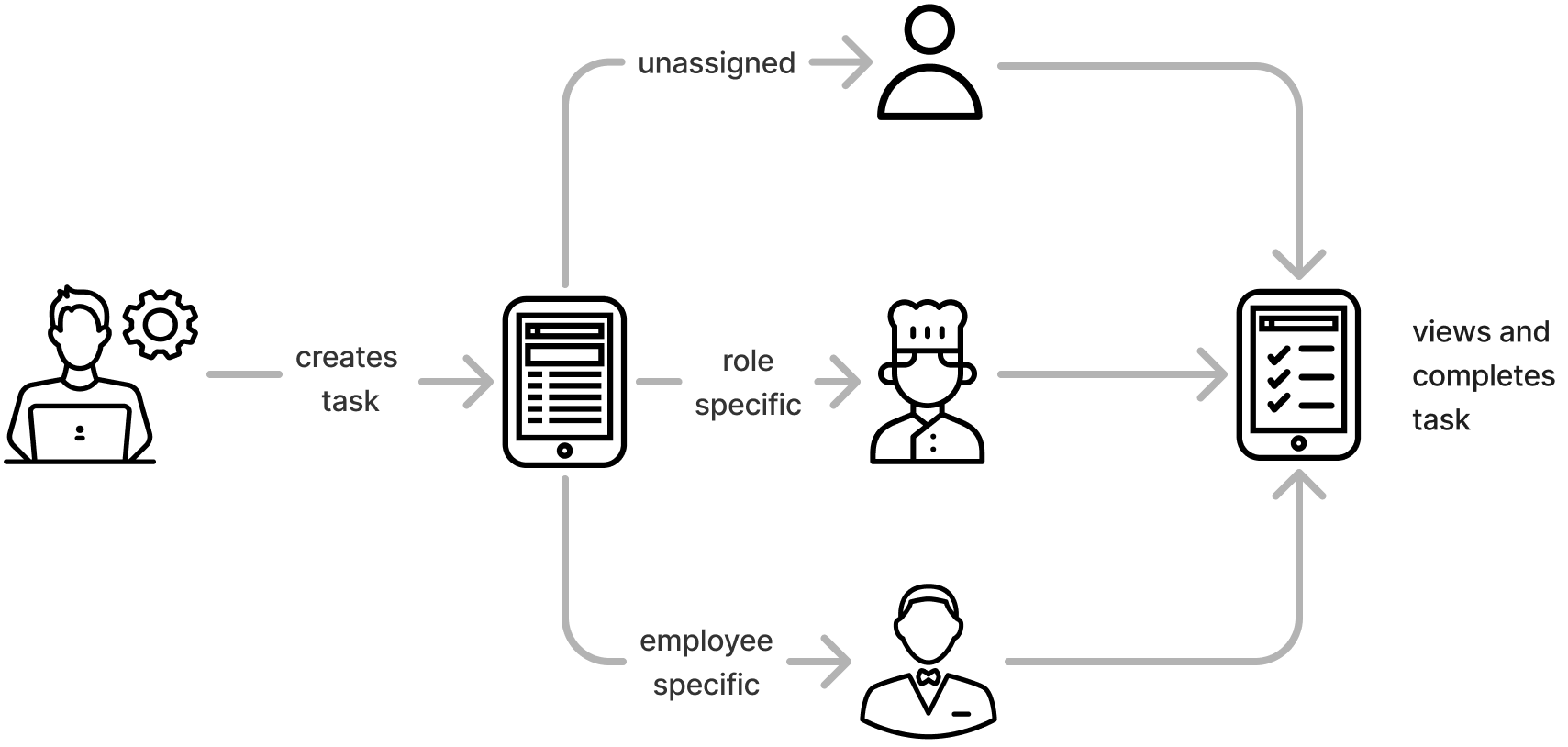
The platform helps restaurant managers assign tasks like cleaning, prep, or maintenance to specific employees, roles, or leave them unassigned. Line workers view these tasks on a shared iPad during their shift and mark them as they're completed. It's designed to keep daily operations organized and on track.
User and Roles:
- Manager: Creates, assigns, and monitors tasks
- Line Worker: Views and completes tasks during shifts
Initial Walkthrough & Discovery
Kickoff with the Product Owner
The project began with a two-hour walkthrough led by the product owner, where I explored the existing manager portal and its core workflows. He demonstrated how tasks were created, assigned, and completed, and where users often struggled.
"It takes us 4–5 hours just to train clients on how to use it and even months later, they still come back with basic questions, asking us to make edits for them."
– product owner"Honestly, even two hours isn't enough to fully explain this system. It's just too complicated."
– product ownerThese early conversations gave me a clear understanding of where the product was falling short, highlighting that the real problem wasn't just feature gaps, but a lack of clarity that made the tool hard to adopt and even harder to trust in fast-paced environments.
Customer's Perspective
Restaurant managers found it difficult to add tasks on their own. The interface was too complicated for fast-paced environments, and they didn't have time to figure it out during a shift. Instead, they often relied on the product owner to make changes for them.
"Can you just add the new cleaning task for me? I don't have time to figure out where to go in the system."
– customer to product ownerBusiness (Product Owner)
- Shorten training to onboard more clients, faster
- Reduce support to focus on product growth
- Build a scalable, self-service system for wide adoption
User (Restaurant Manager & Line Worker)
- Create and update task lists quickly without technical help
- Keep the team aligned and accountable
- Quickly understand what tasks to do and when (line worker)
Design Goal (Me, as the UX Designer)
- Simplify and streamline task management with an intuitive system that lets managers create, assign, edit tasks, and scale it across teams without extensive training or support.
2. Analyse the Market & the Users.
Competitive Analysis
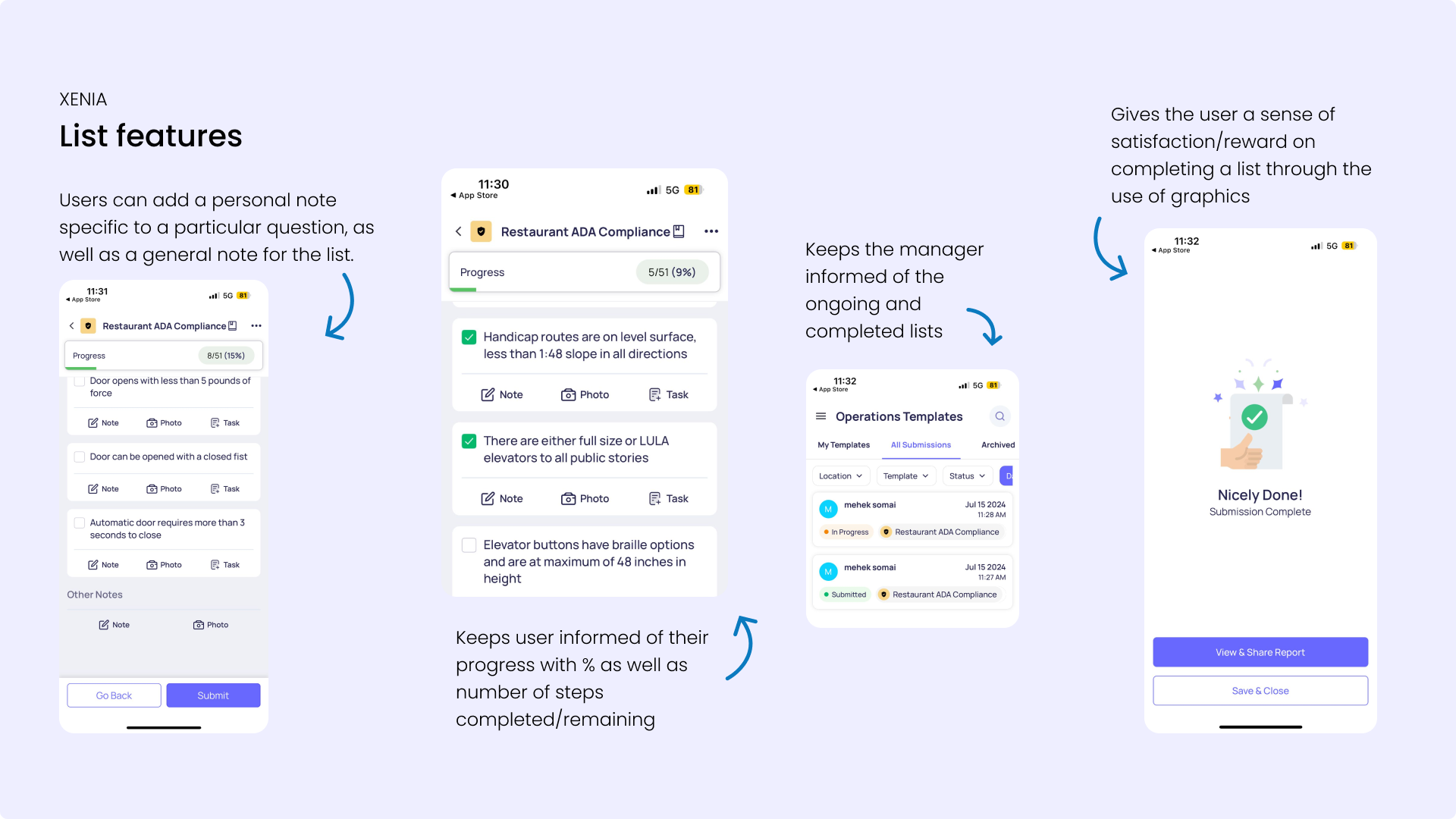
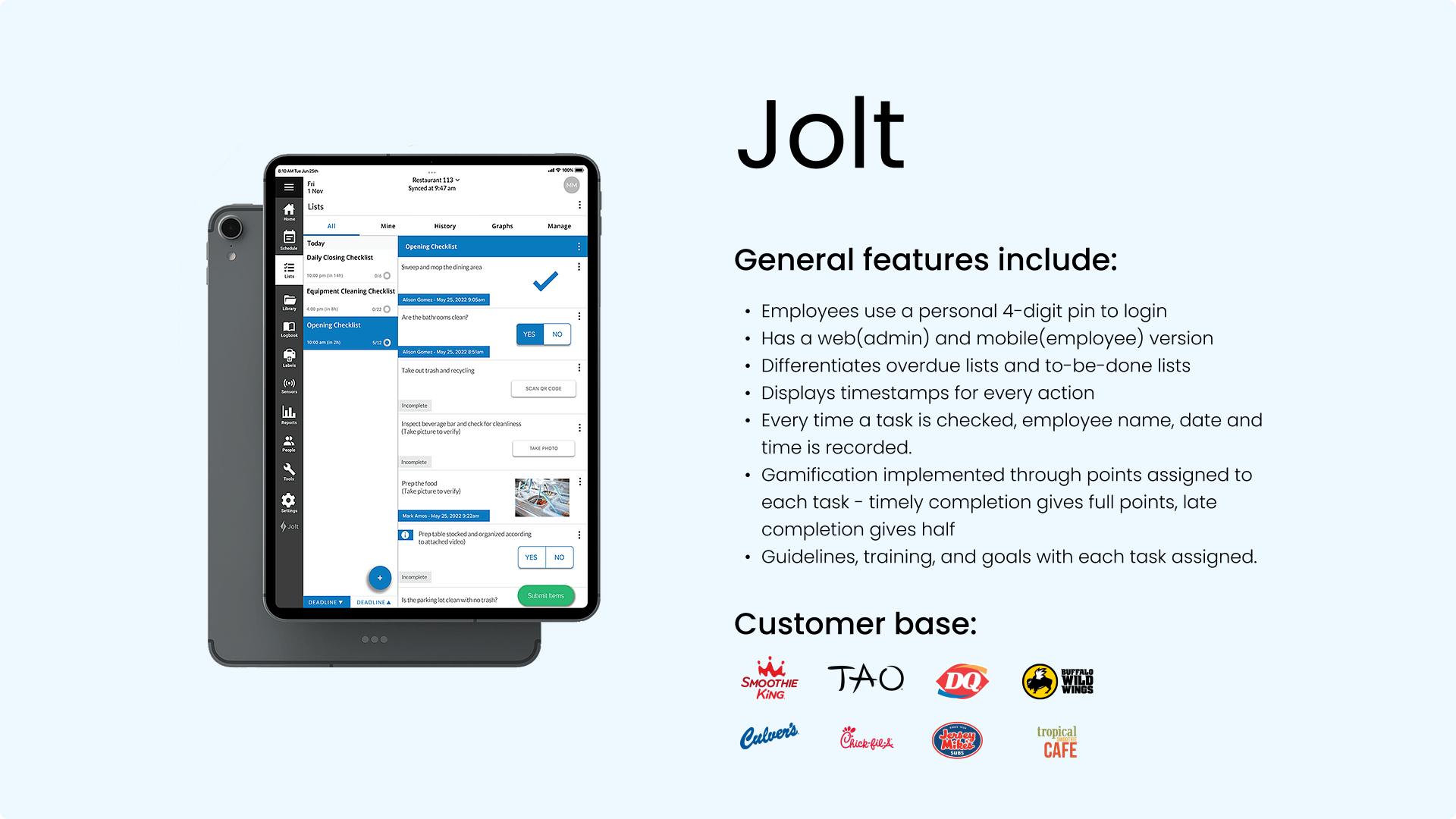
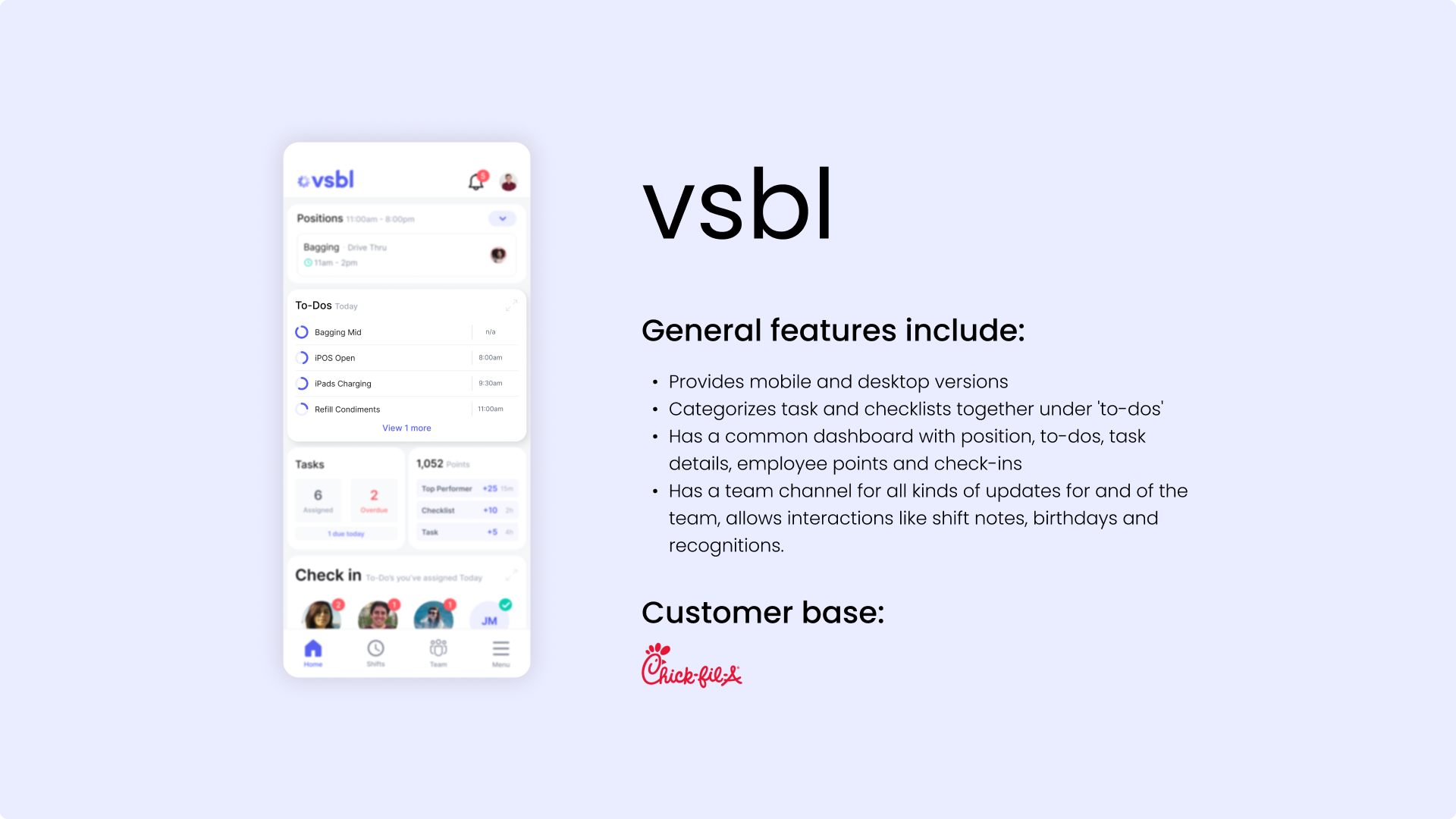
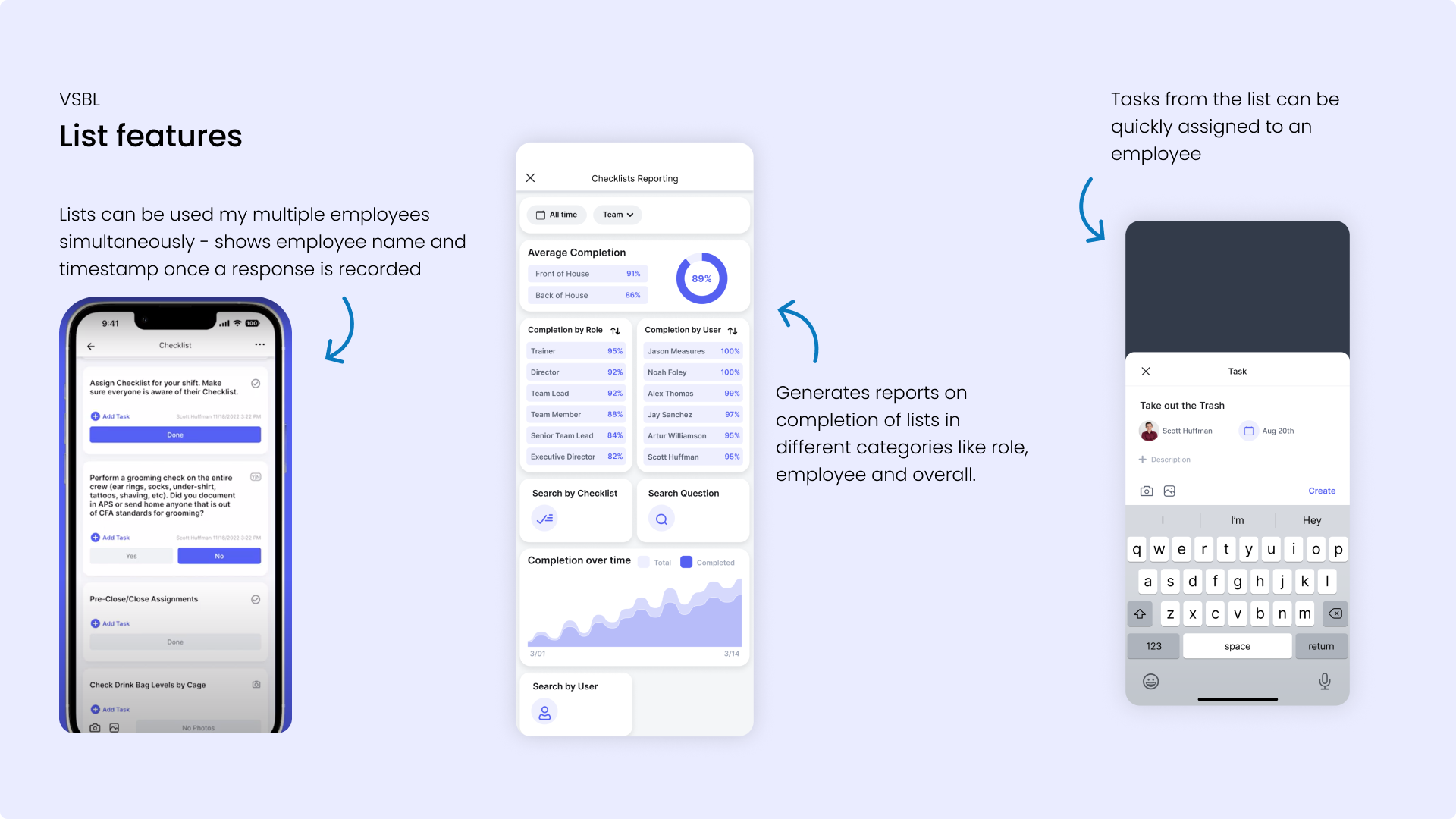
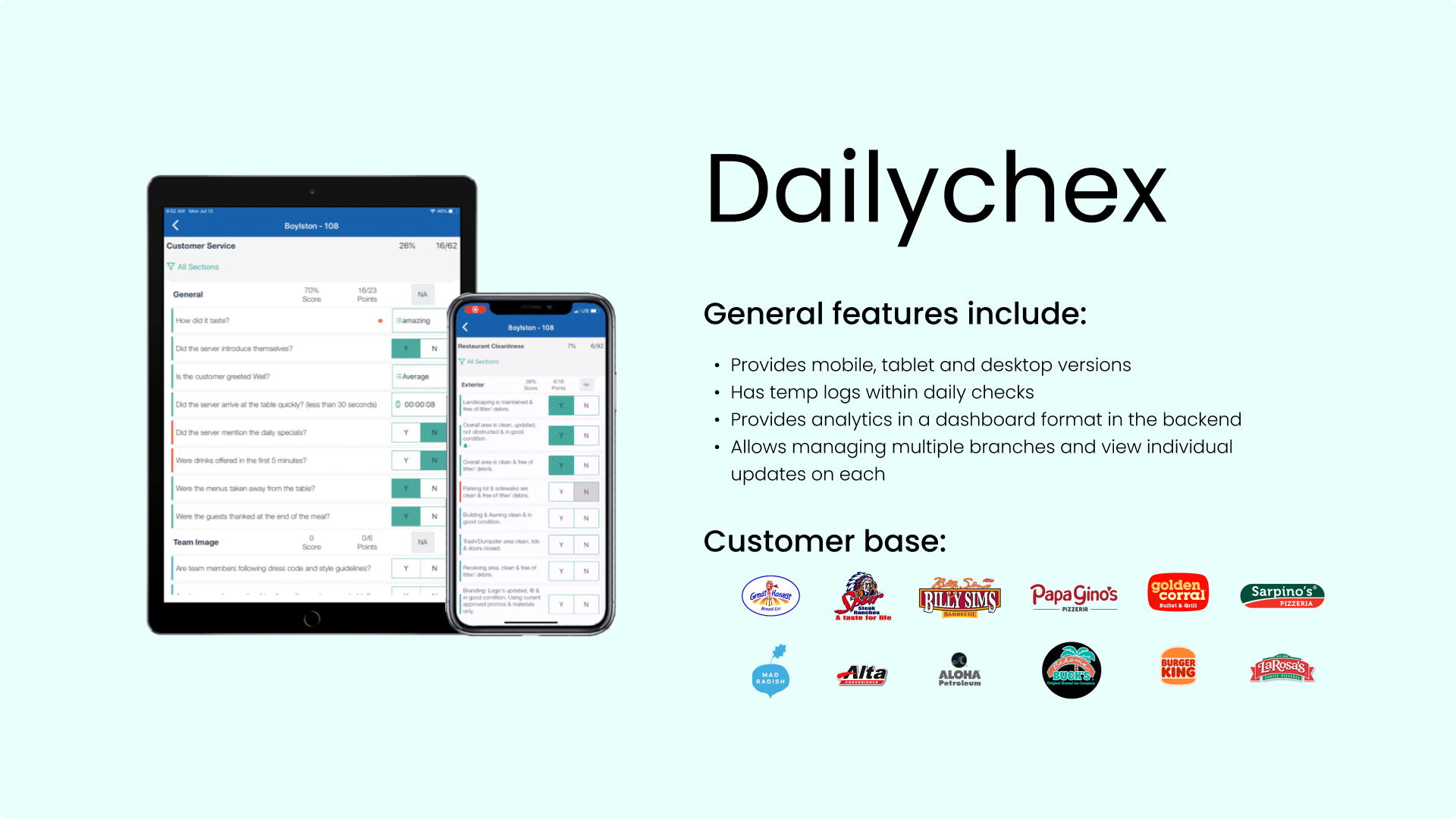
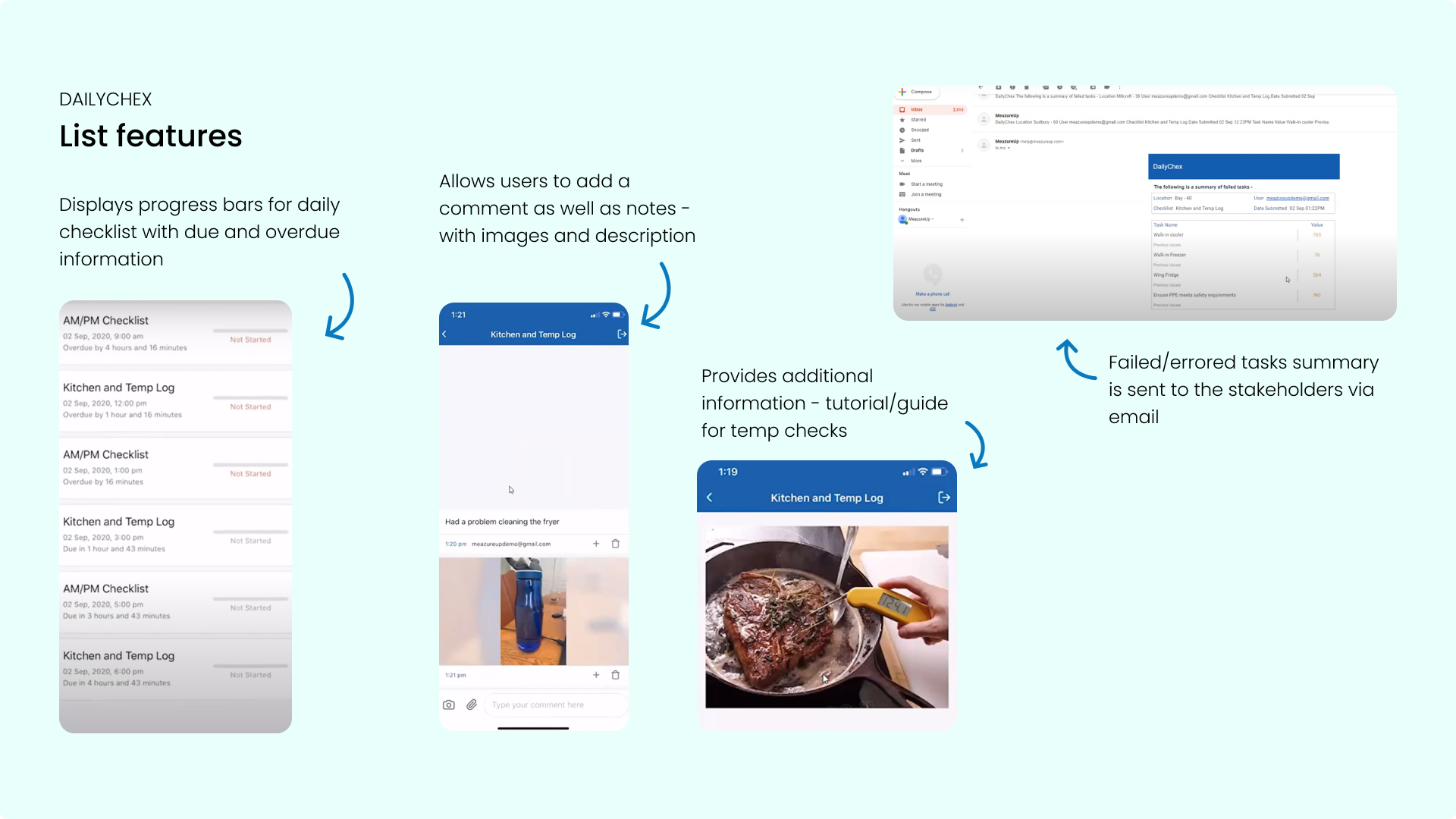
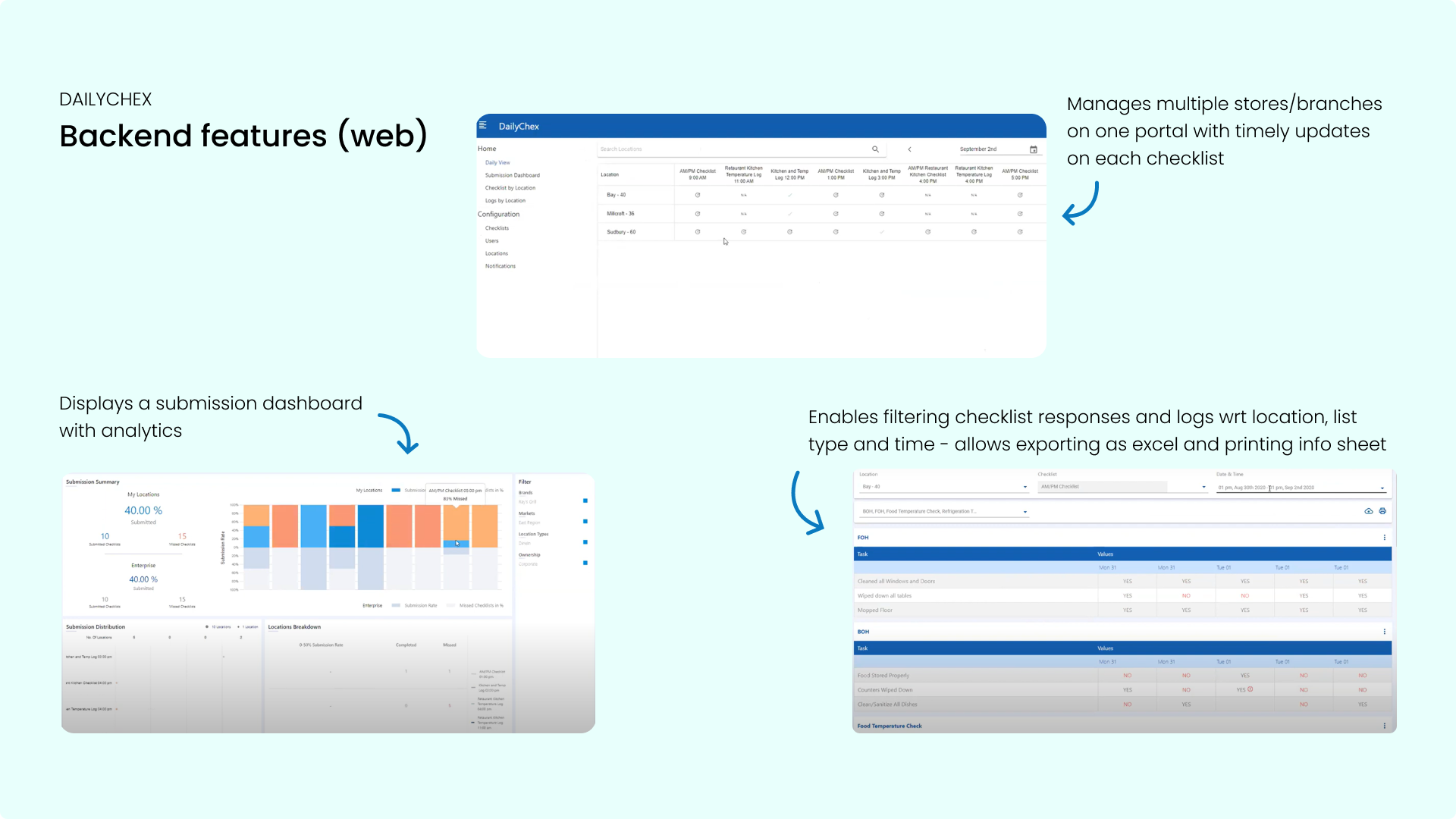
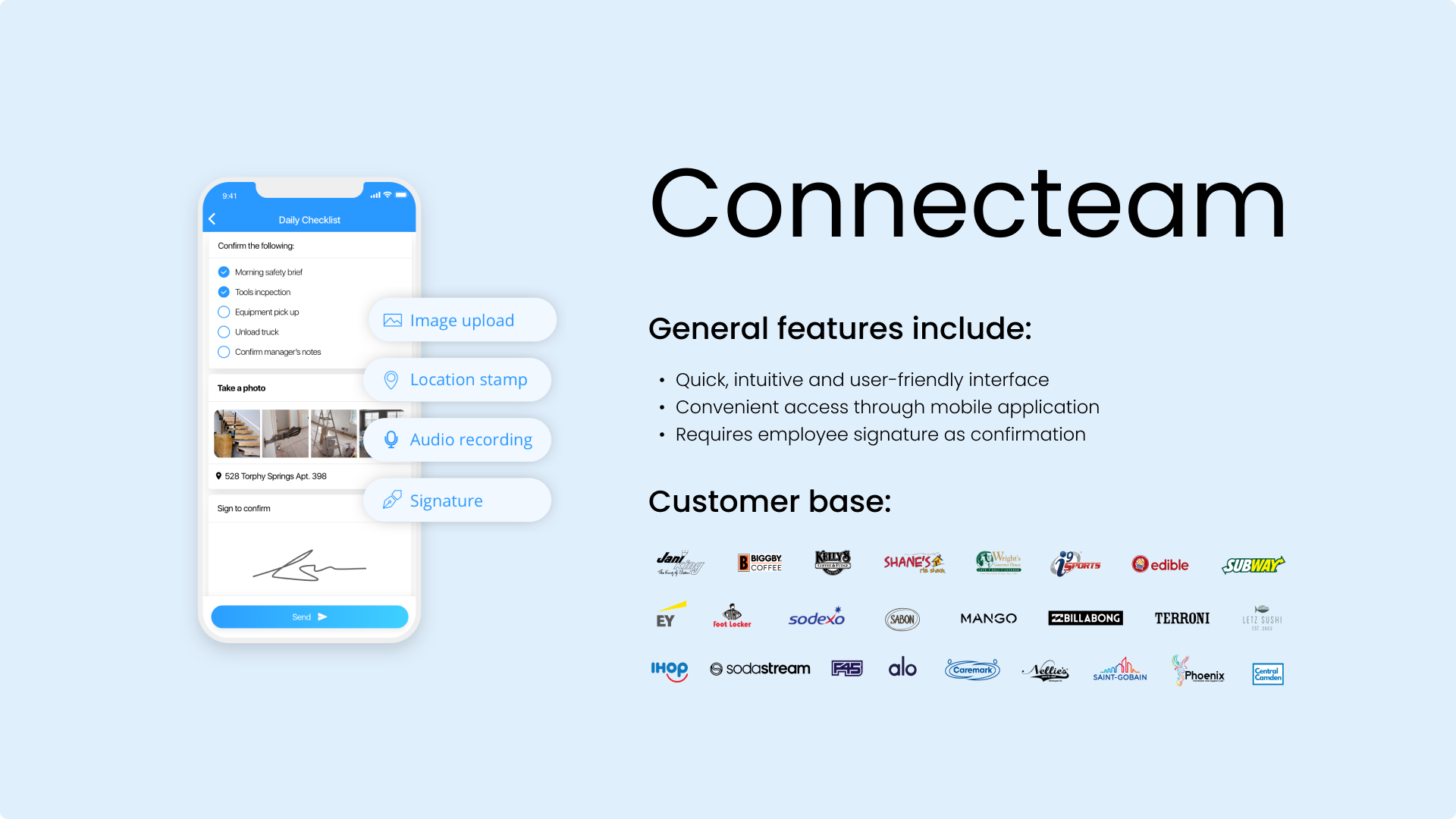
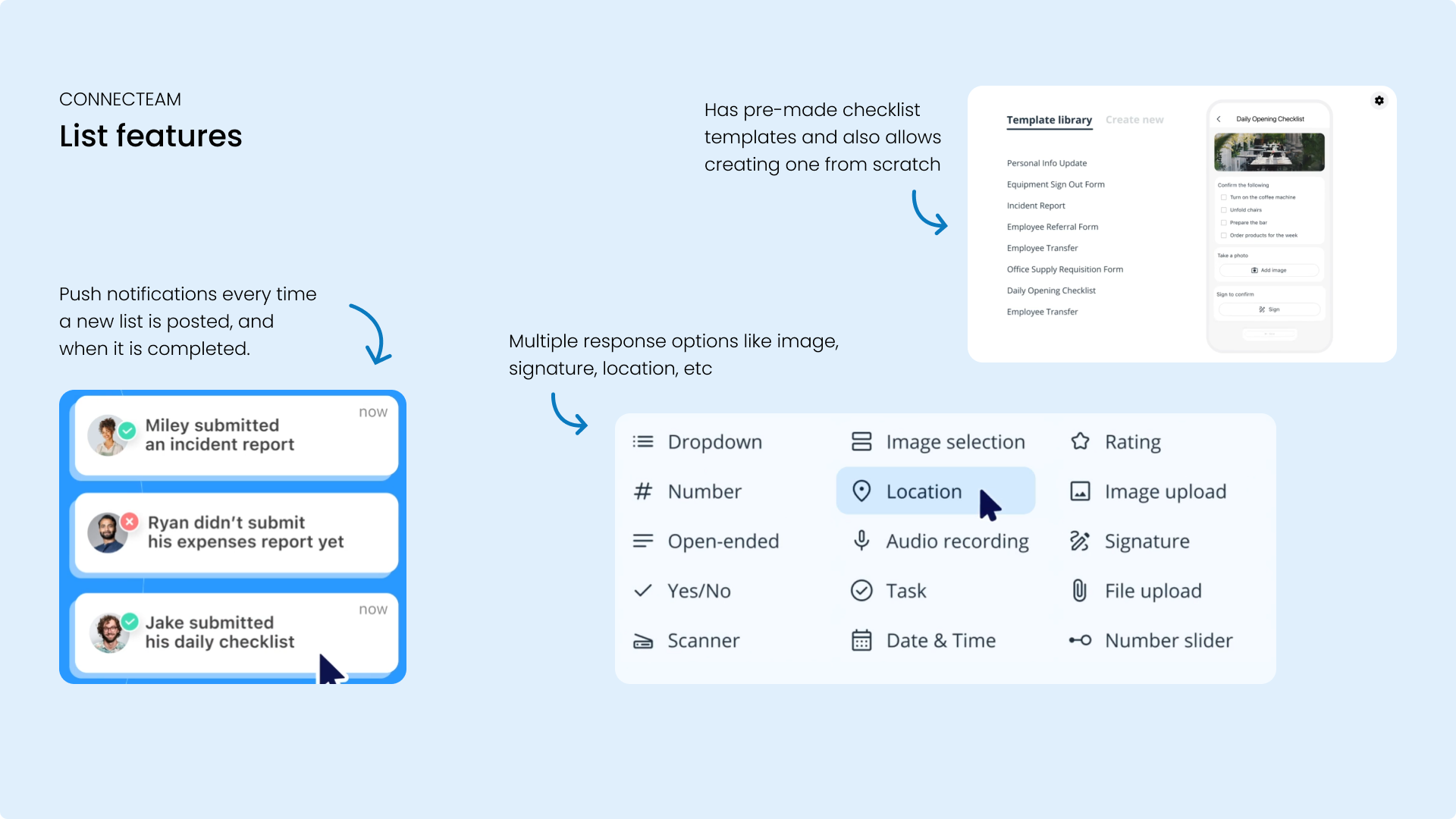
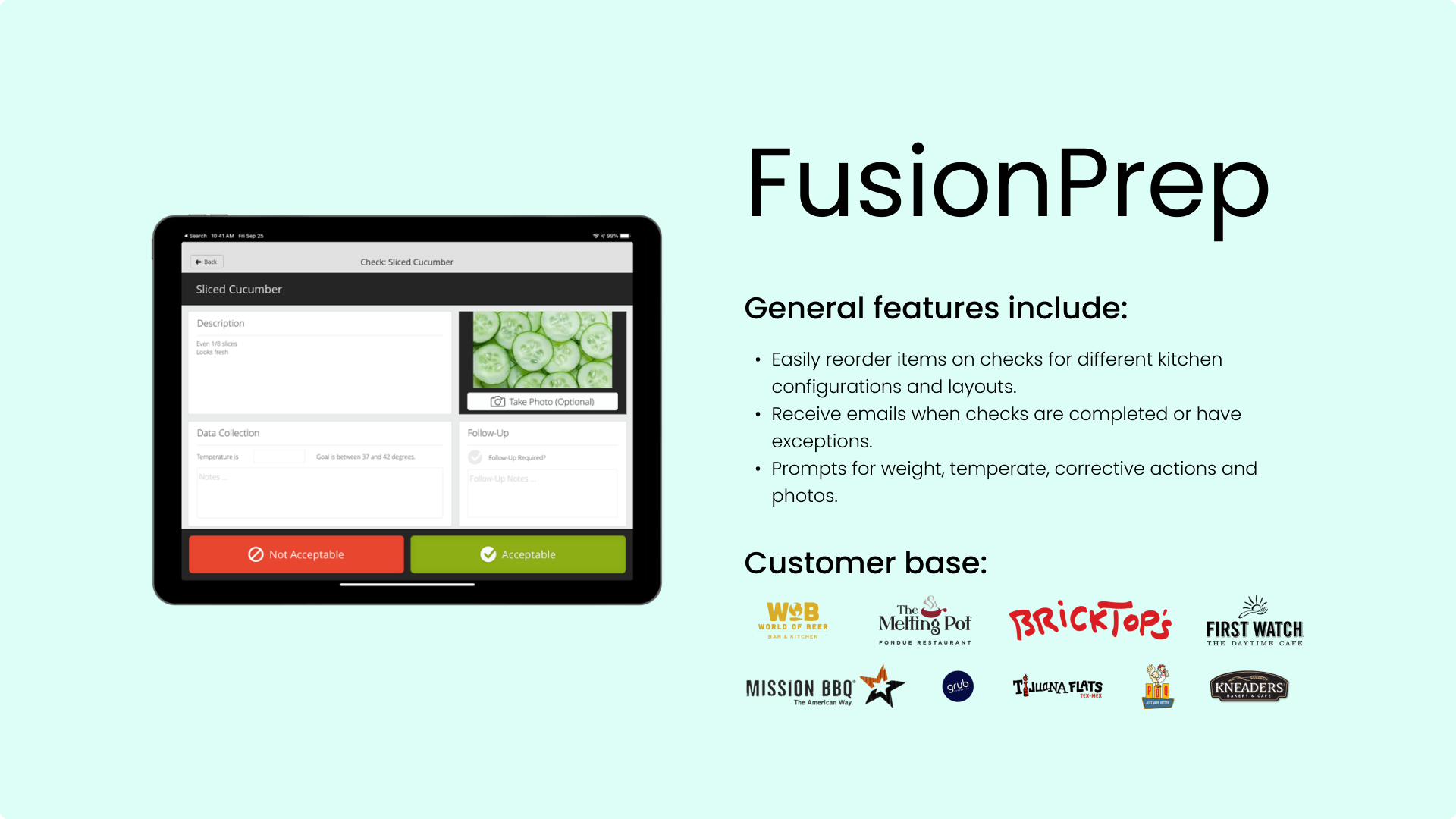
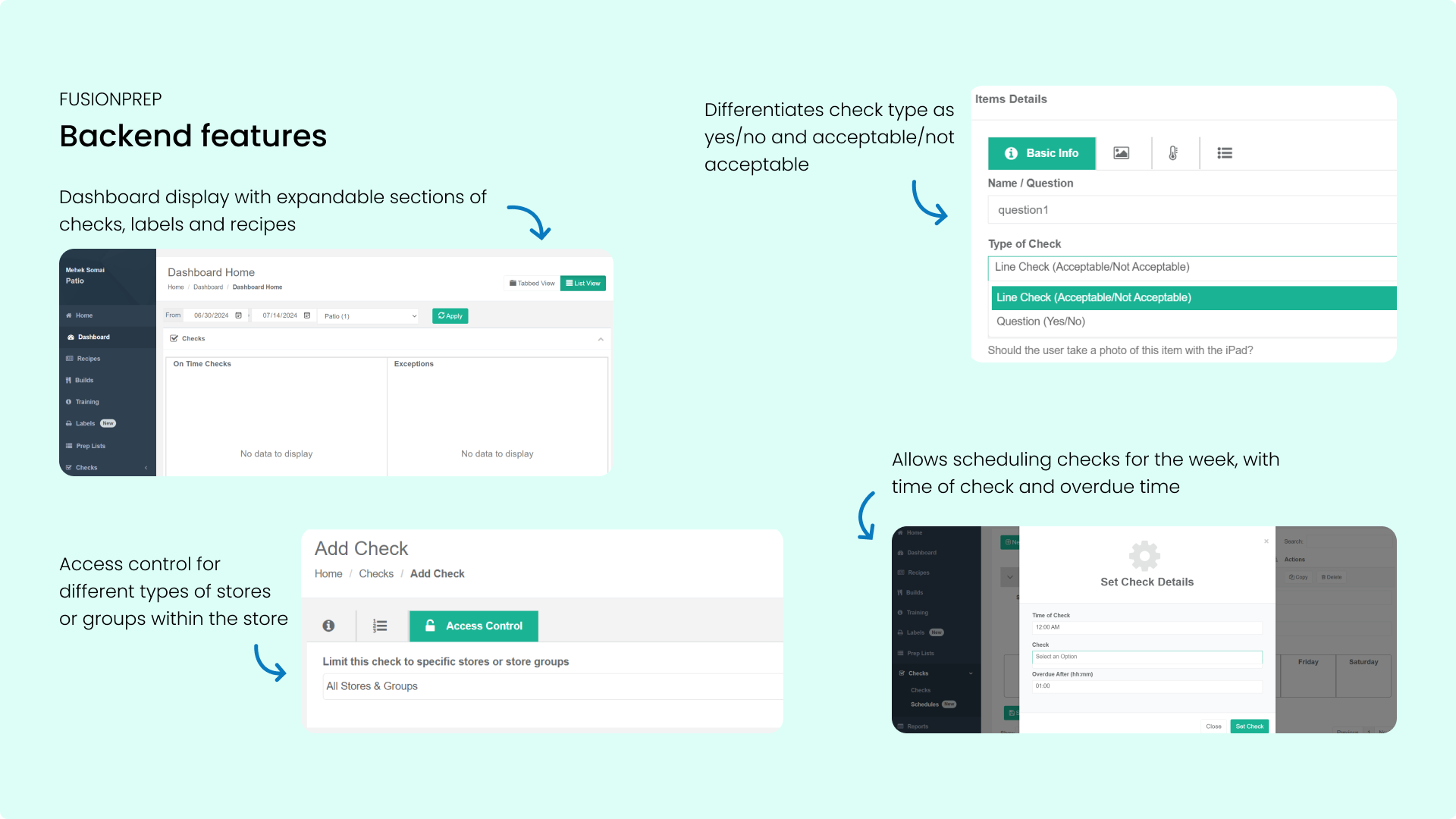
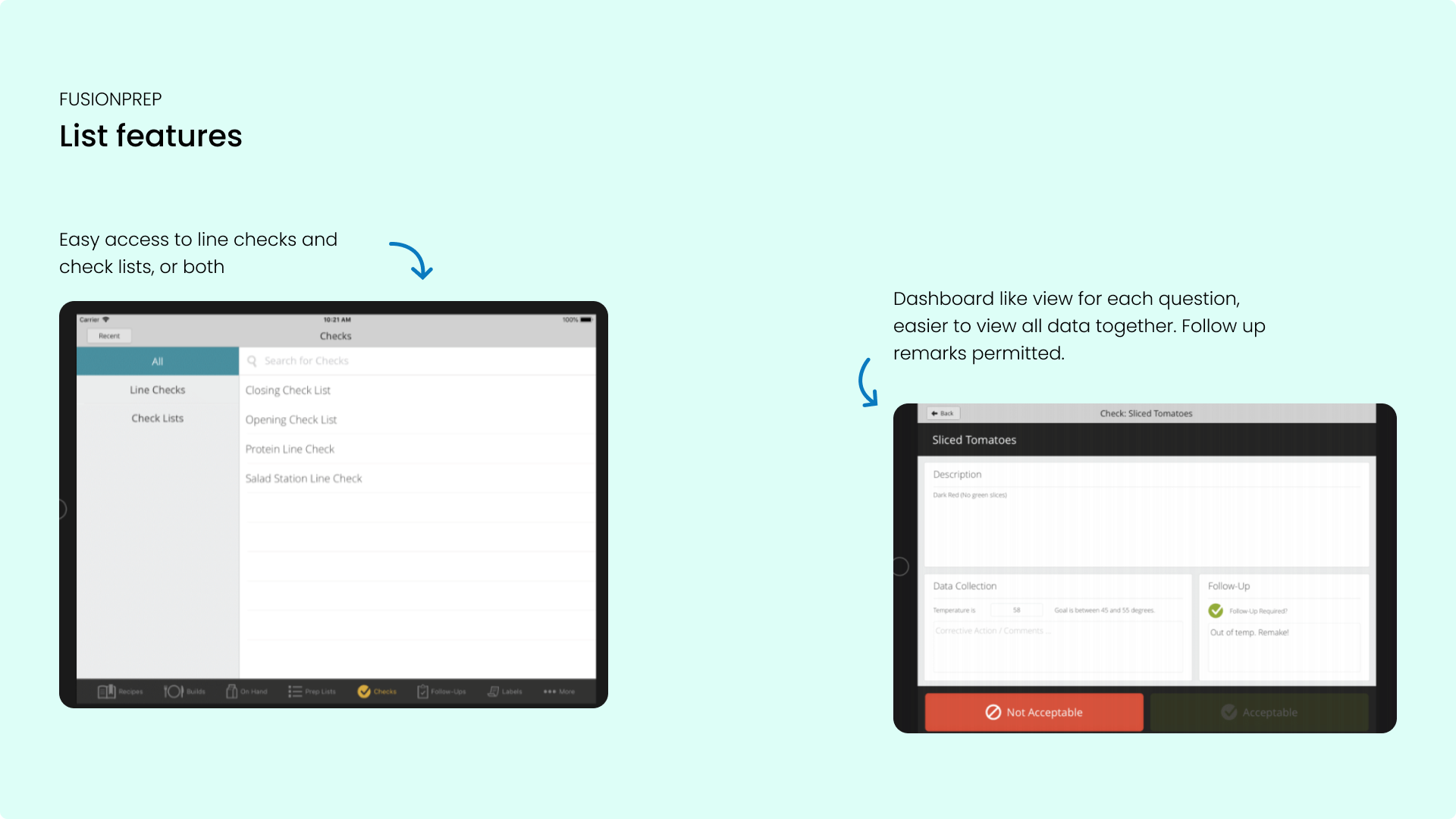
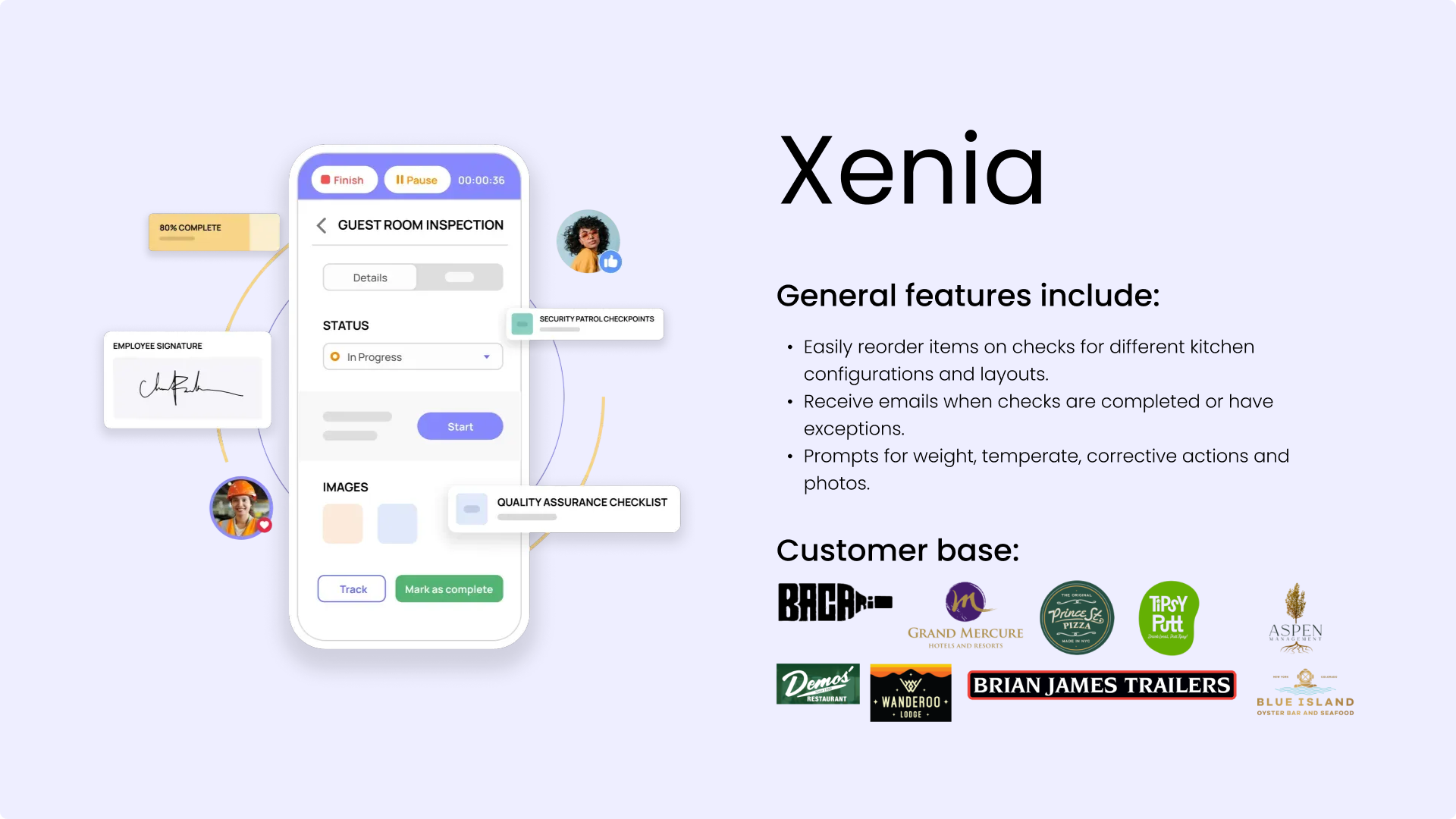
To align with both user needs and business goals, I conducted a competitive analysis of task management tools used in similar industries. This helped us understand not just usability patterns, but also how competitors positioned their features, served their customer base, and scaled their platforms. It gave us a clearer picture of where our product stood, and where it needed to improve.
competitive platforms analyzed
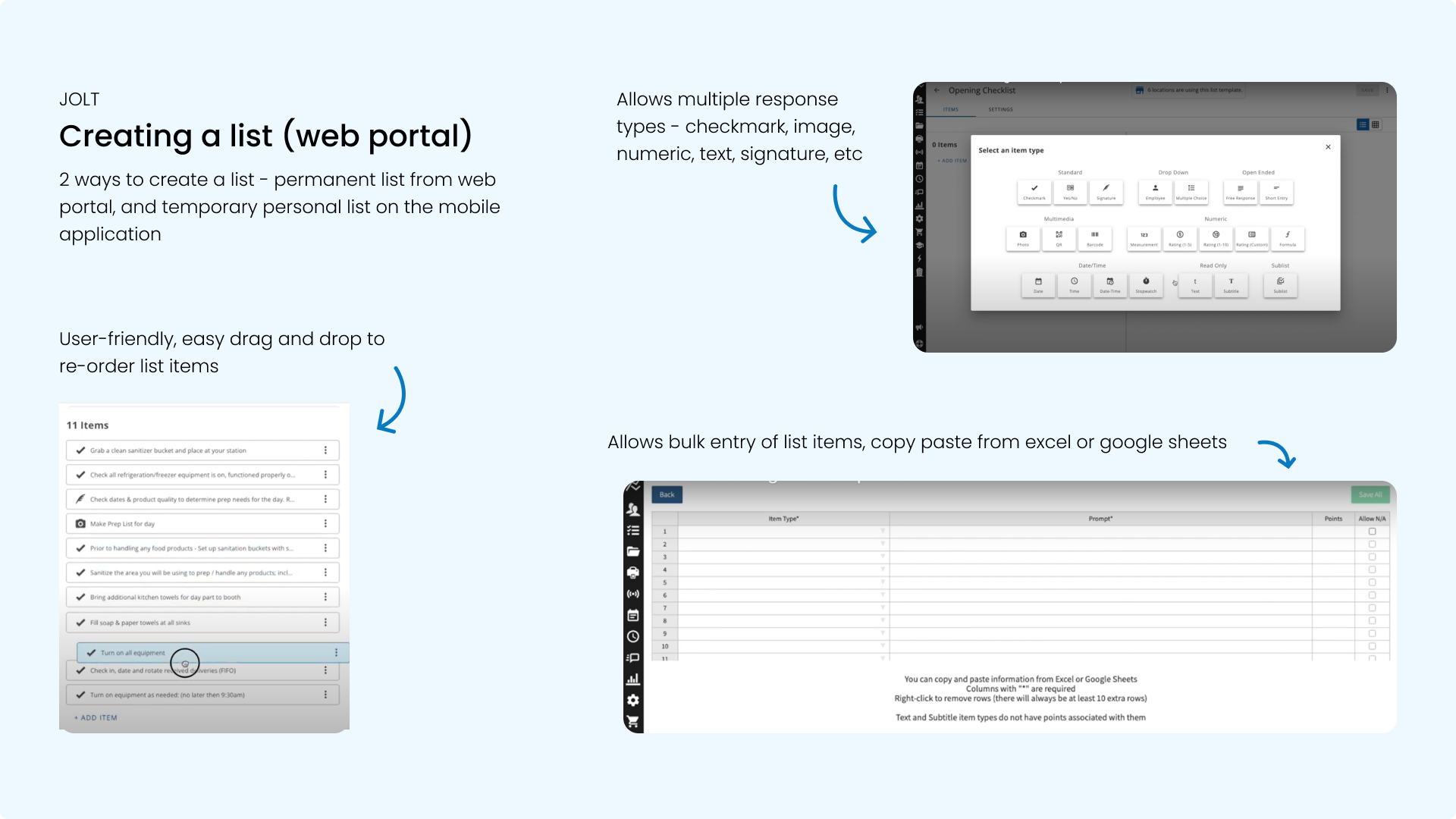
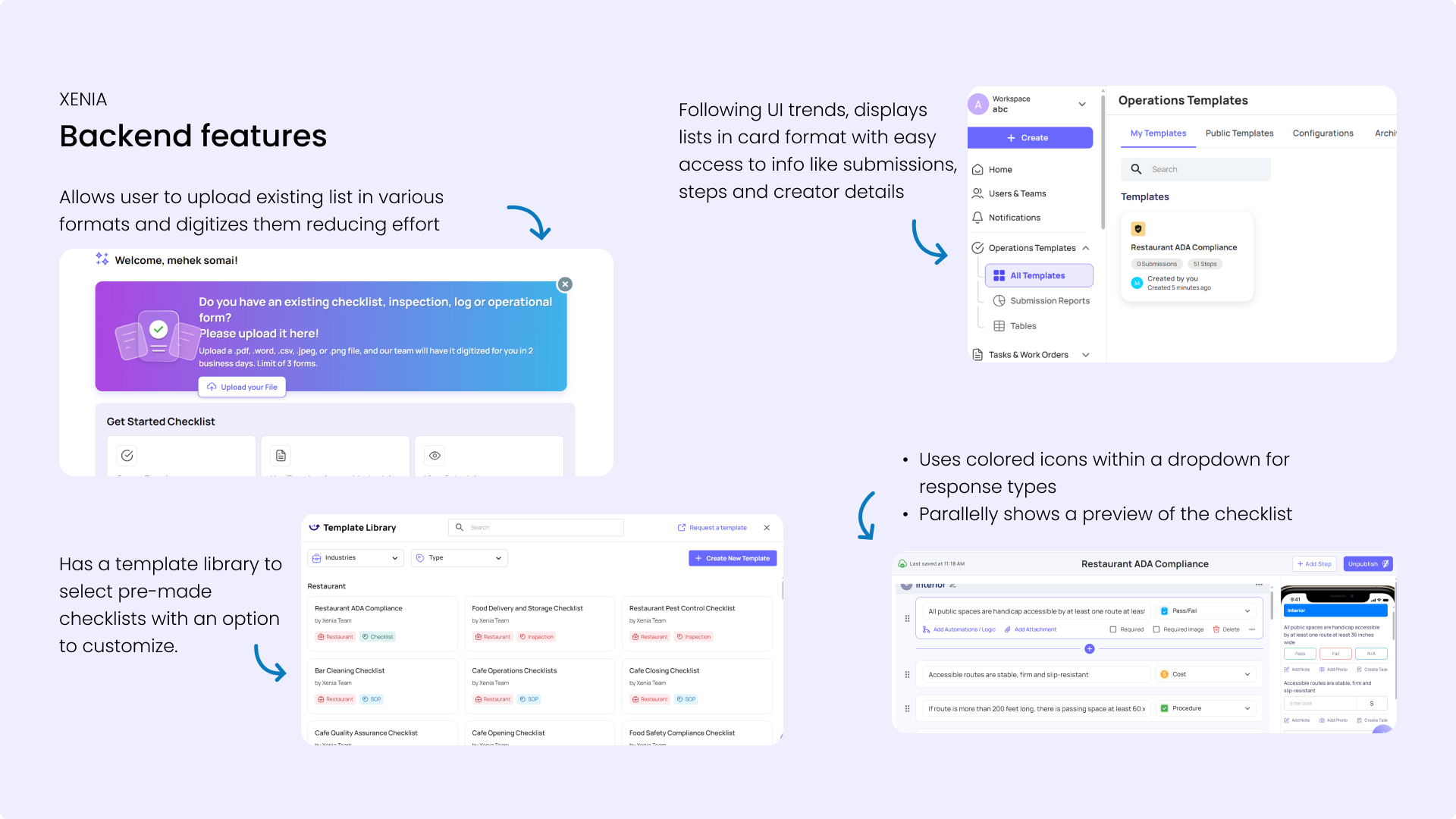
- Most tools allow multiple response types
- Import task lists from Excel and Google Sheets
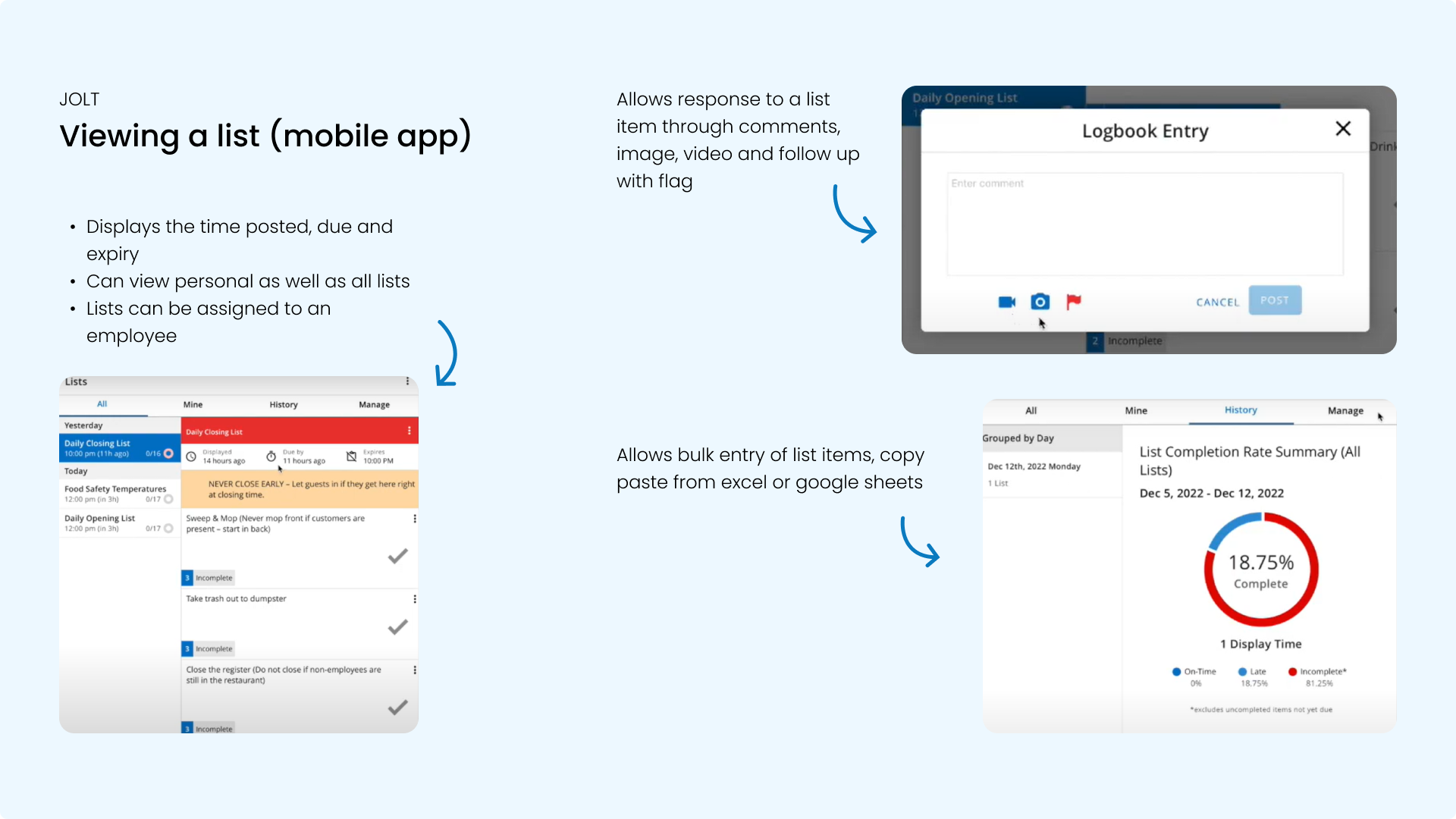
- Managers can view real-time status of task completion
- Some tools display tasks as cards, generate reports, and send email updates.
In Conversation with a Dining Manager
I met with the dining manager of a restaurant and conducted an inpromptu informal interview. He was not our customer, neither did he use any task management tool. Yet, his insights helped me understand how managers operate.
How do you ensure all things are in place?
"I usually assign tasks to each person. For example, I have one person for spoons, one for glasses, one for tablecloths etc. They have been trained on how to arrange a table and I walk around the space and supervise them. Sometimes, I ask them if the task is done, while sometimes they come and inform me."
Do you use any app to communicate tasks to your team?
"No, we don't have the time for that! We have a manager level portal, we do not have any time to spend on communicating with the staff through an app.""
How useful are the printed checklists on a regular basis?
"We barely refer to these lists. Everyone is given duties for a whole 7 month contract and they remember their duties out of habit and repetition. The lists are only a formality and serve anyone who is new."
Summary
- Competitors use features like real-time status update, employee-specific task assignment with quick edit options, modern card-format UI, and more.
- Managers do not have time, and can't spend hours making lists. They need a tool to improve their workflow, not burden it.
3. Create User Flows and Sitemap
Step 1: PM-Dev-UX Workshop
- Advocate for usability and User Experience
- Brainstorm elements and functions for each screen
- Translate Miro board discussions into user flows
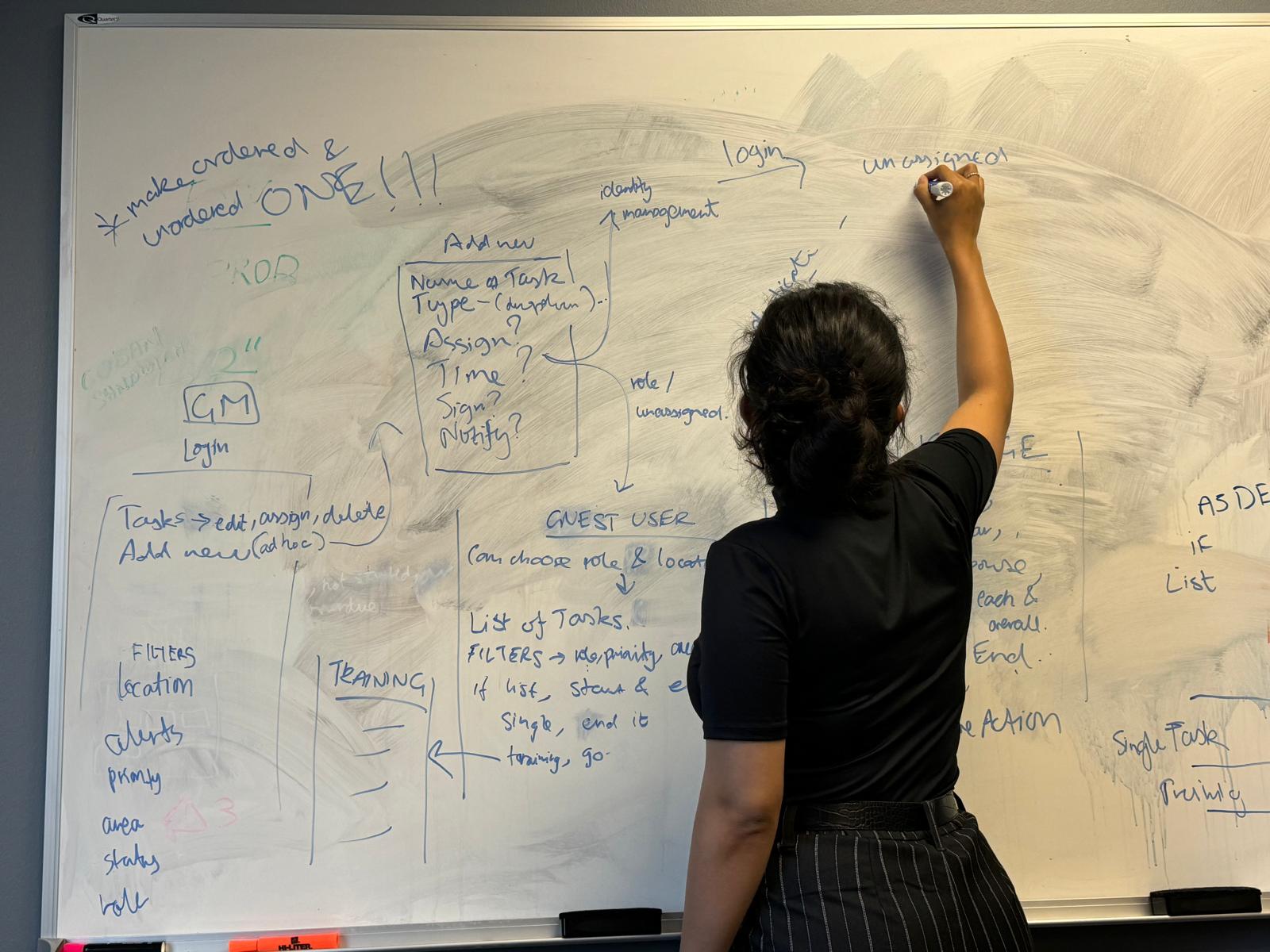 Brainstorming flows from the Miro Board
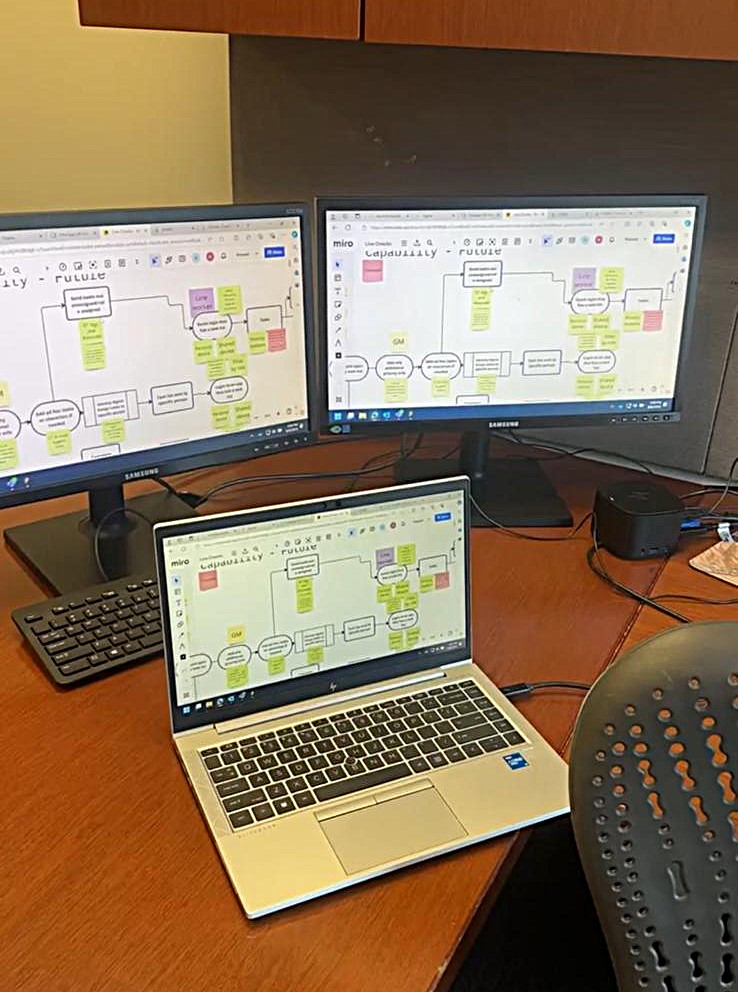 Miro board from the workshop
Step 2: Create a Detailed Sitemap
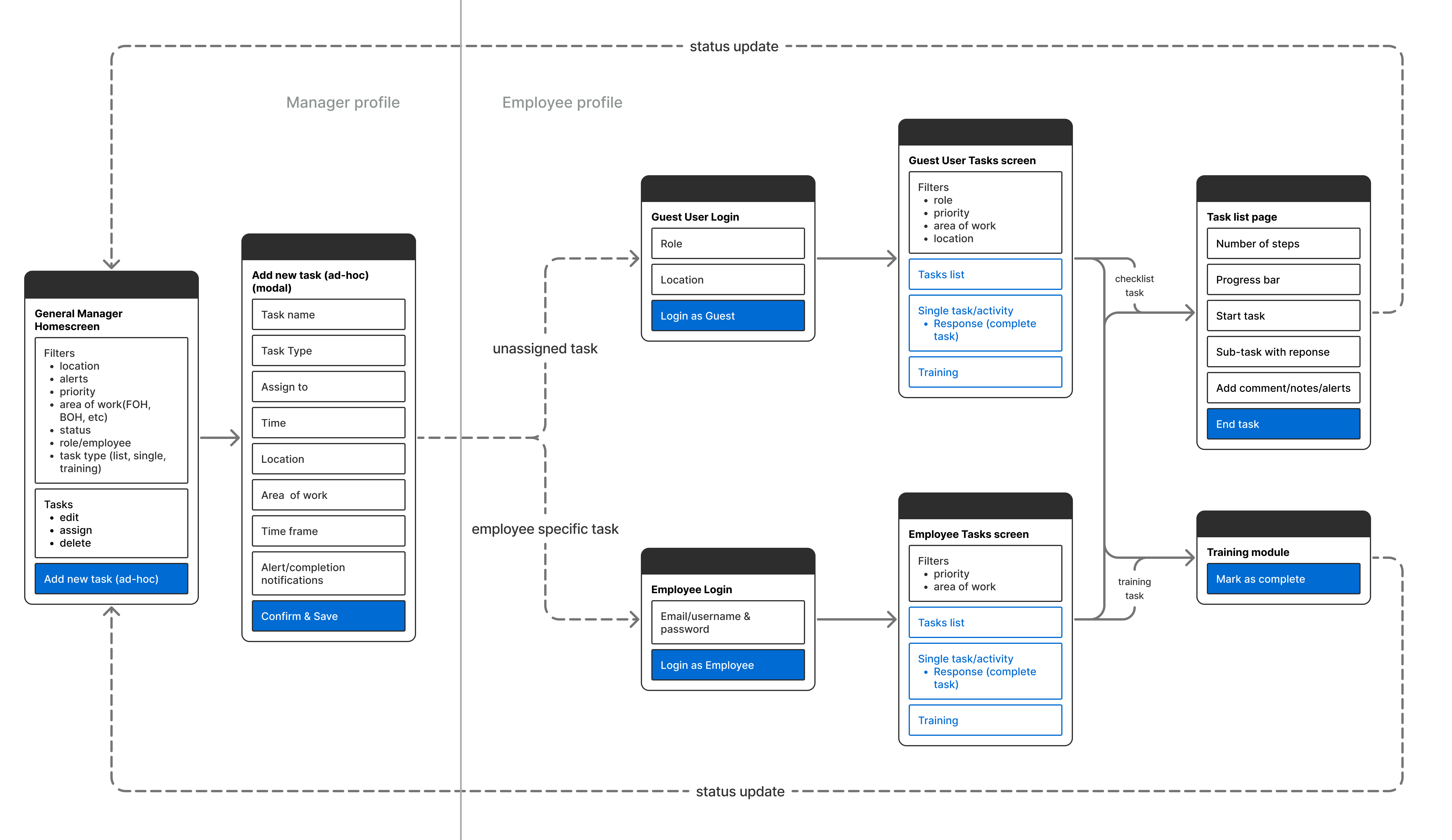 Final Sitemap and Flow
4. Design Hi-fidelity Mockup
Manager: Creating a Task List (Web Portal)
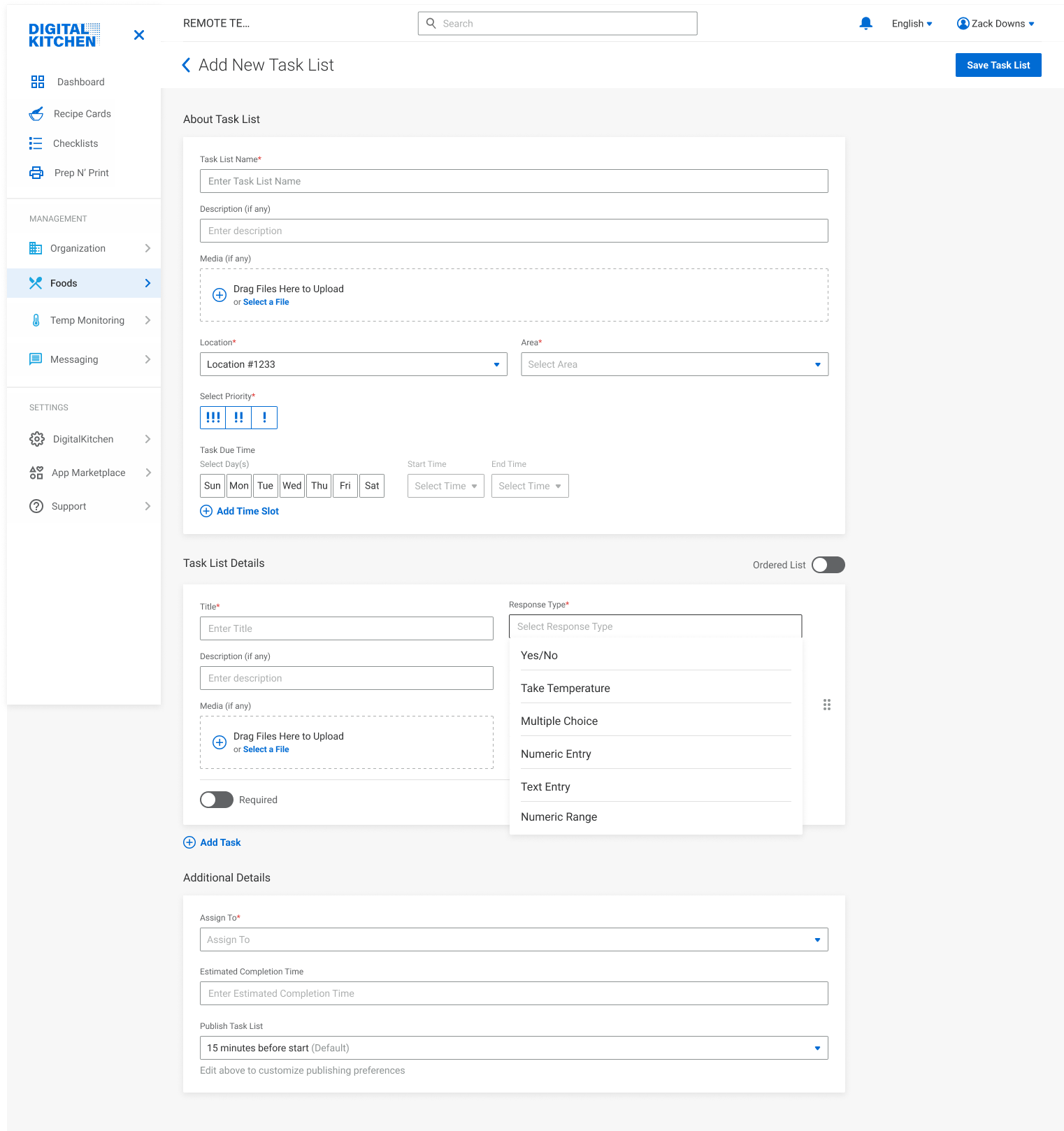
1. Add Task List Details
- The manager sees a simple form where they can add essential task details like name, priority, schedule, location, etc.
- The section below it is where the task items come in. Each task has a responsive type, the expected response, and additional media (if any).
- After adding all tasks in the list, they choose who to assign it to, the expected completion time, and publish date.
Multiple Response Types
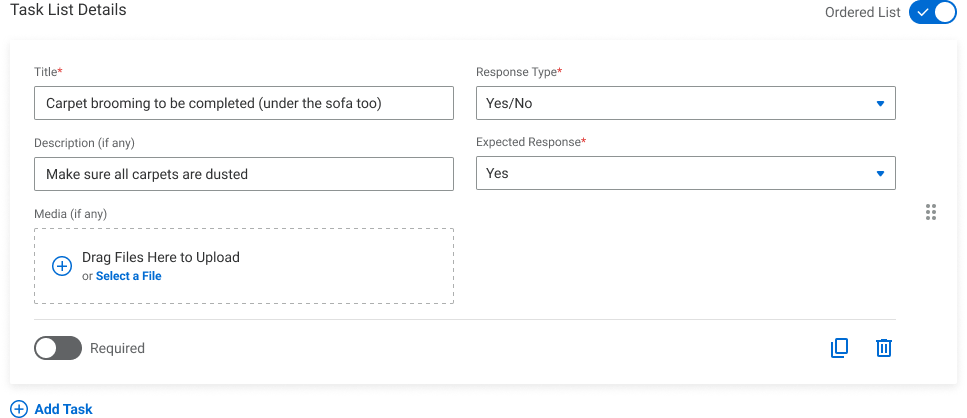
Yes/No Responses
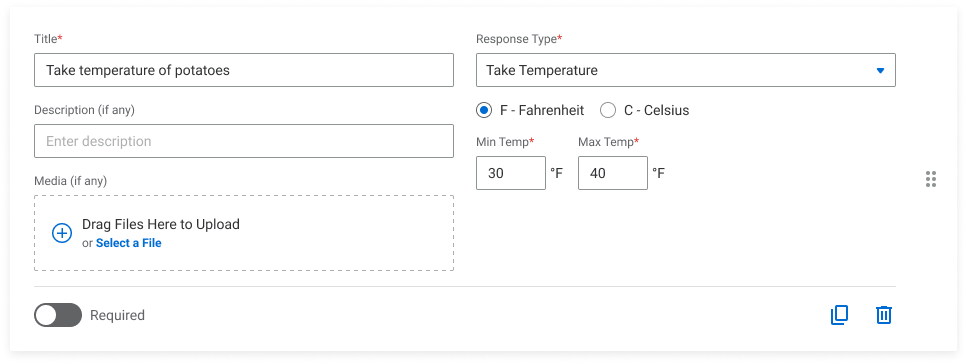
Temperature Taking
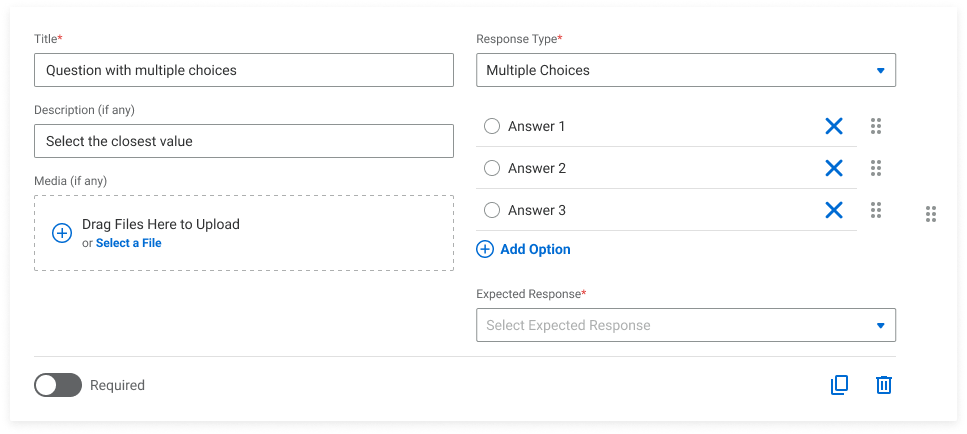
Multiple Choice Answers
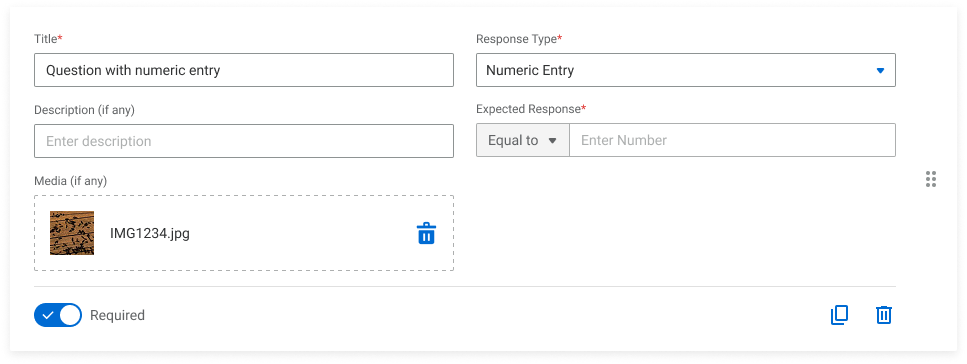
Numeric Entry
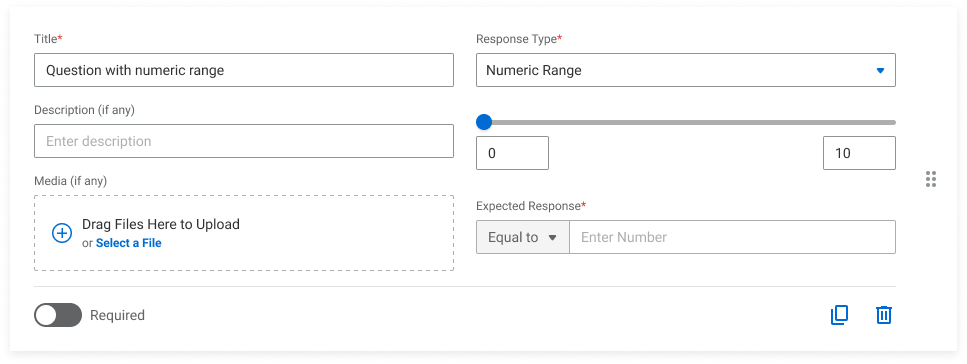
Numeric Range
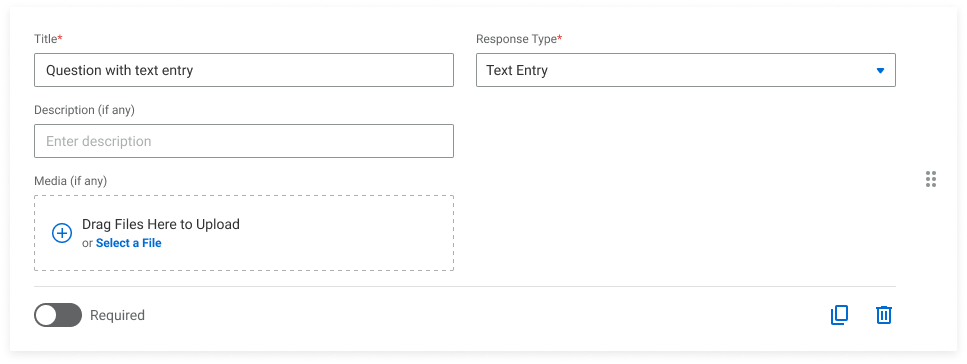
Text Entry
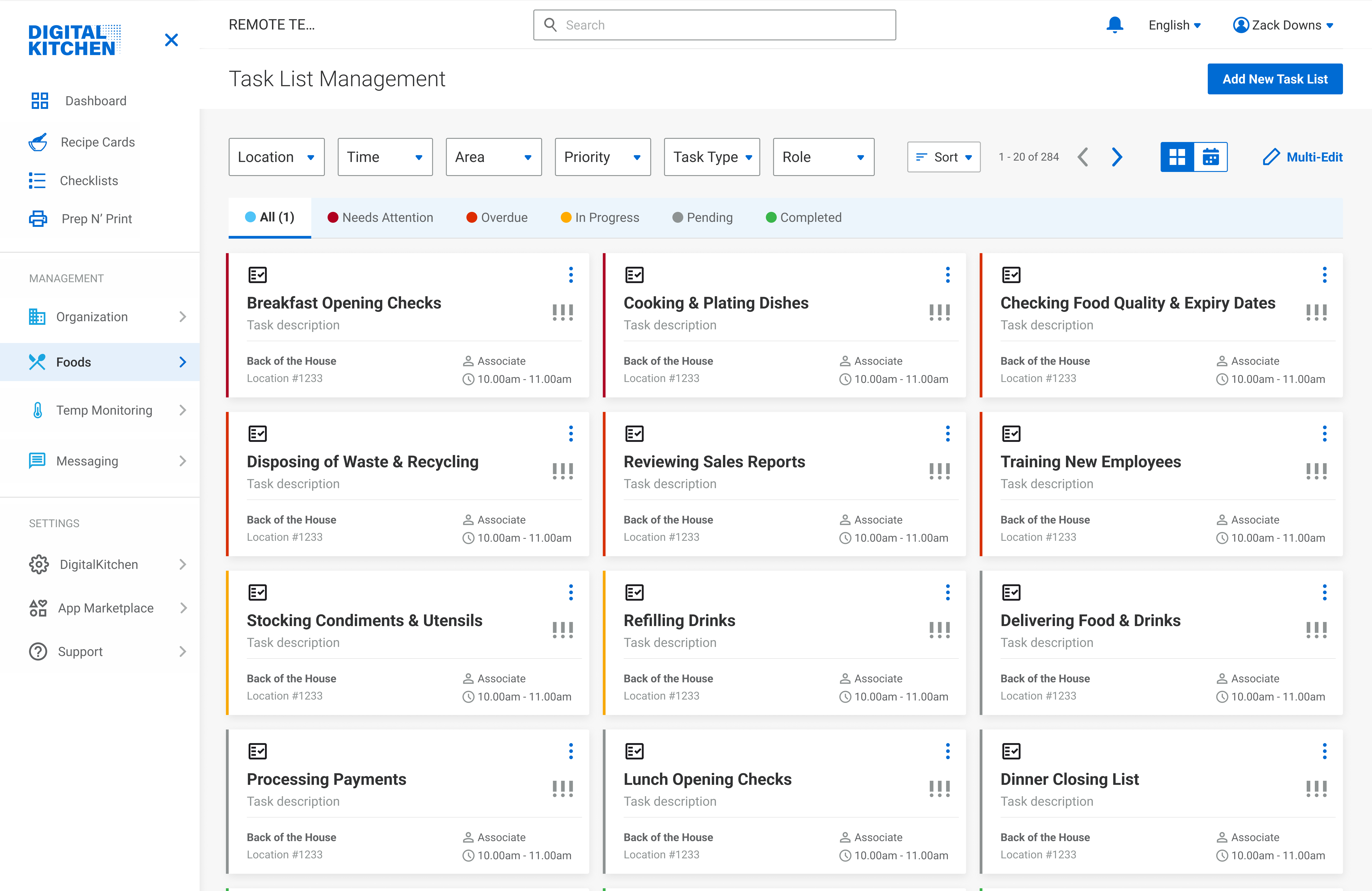
2. View Task Status
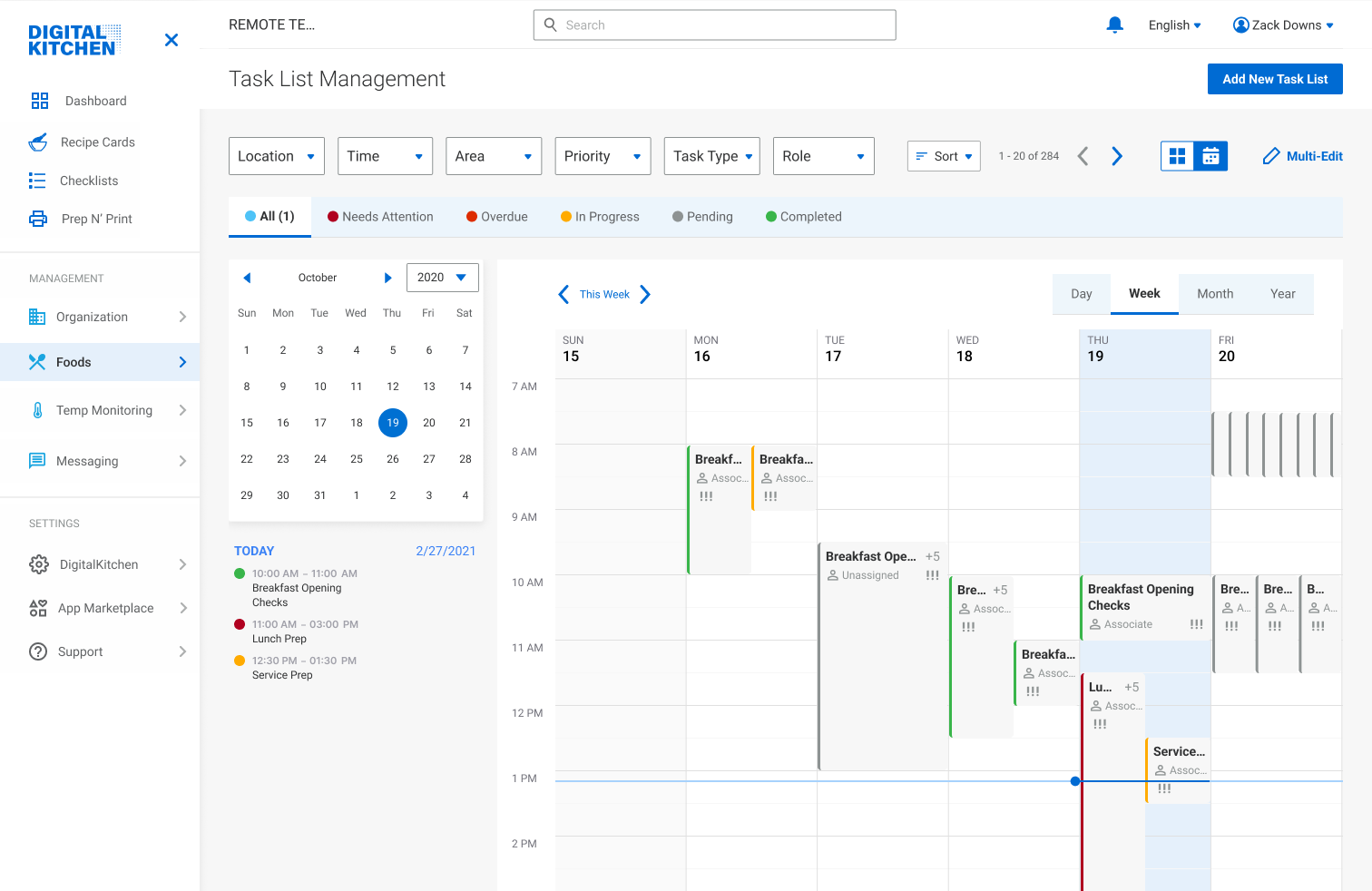
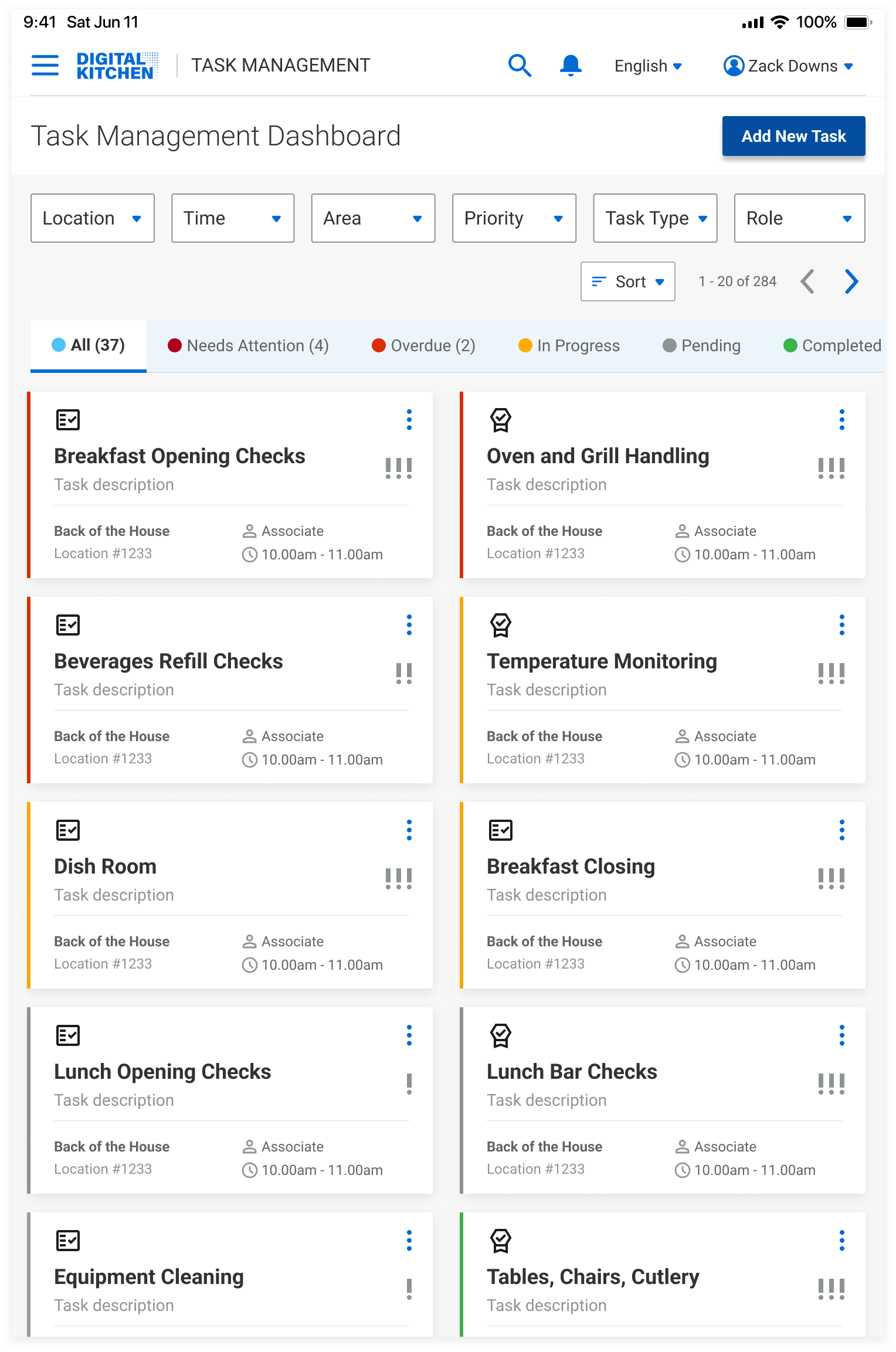
- The portal sorts tasks based on priority - needs attention, overdue, in progress, pending, and completed.
- 'Needs Attention' is when the staff raises a flag through their portal, or when they take longer than the expected completion time.
- Filters, tabs, sorting, and grid/calendar view allow personalized display options.
Manager: Assign Ad-hoc Tasks (iPad)
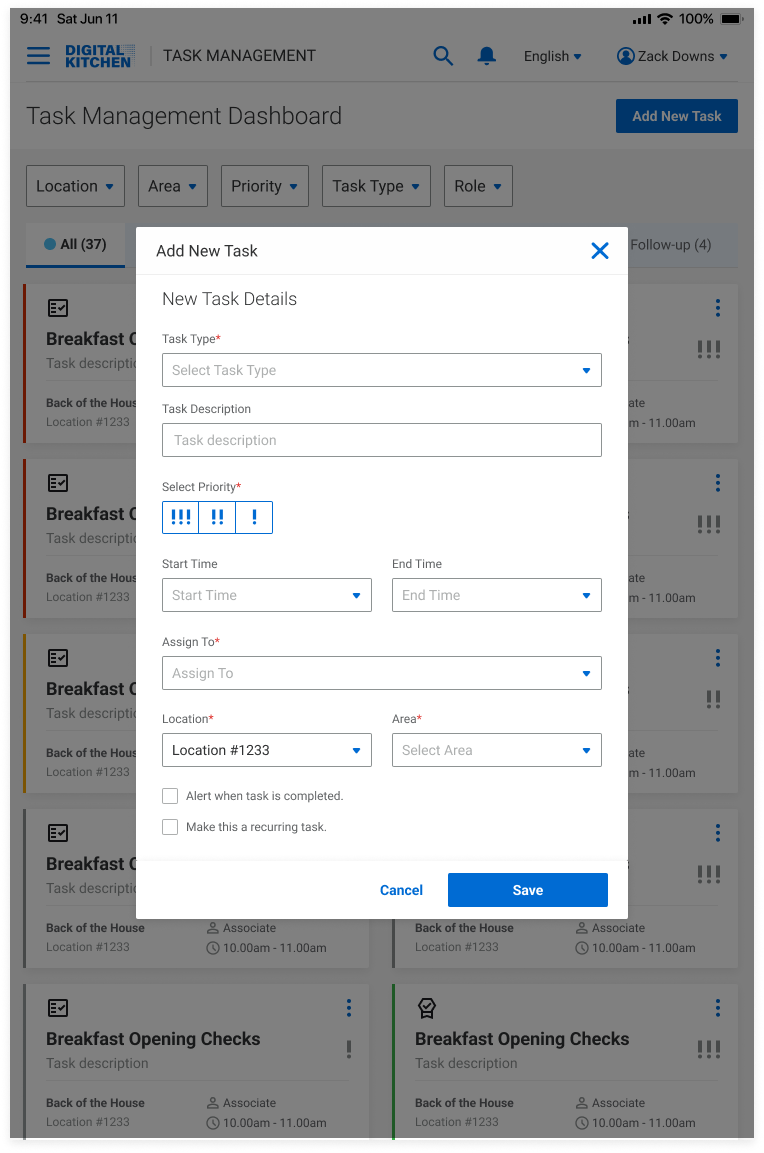
Assign Tasks On-the-go
- The manager can easily assign a single task, a task list, or training module to any employee/role.
- If they select 'Task List', they can choose from the previously created (web tool) lists.
- If they select 'Single Task', they choose the response type, and expected response.
- If they select 'Training', they can choose from the third-party training module integrations.
Line Worker: View and Complete Task Lists (iPad)
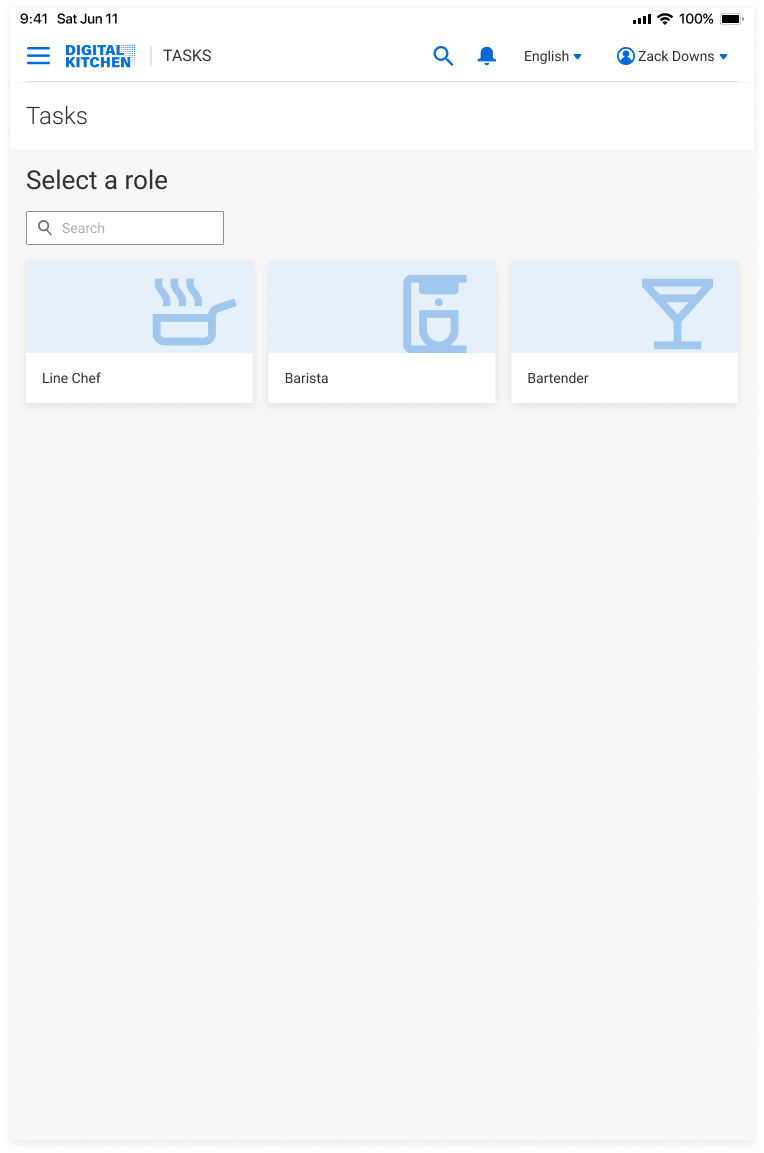
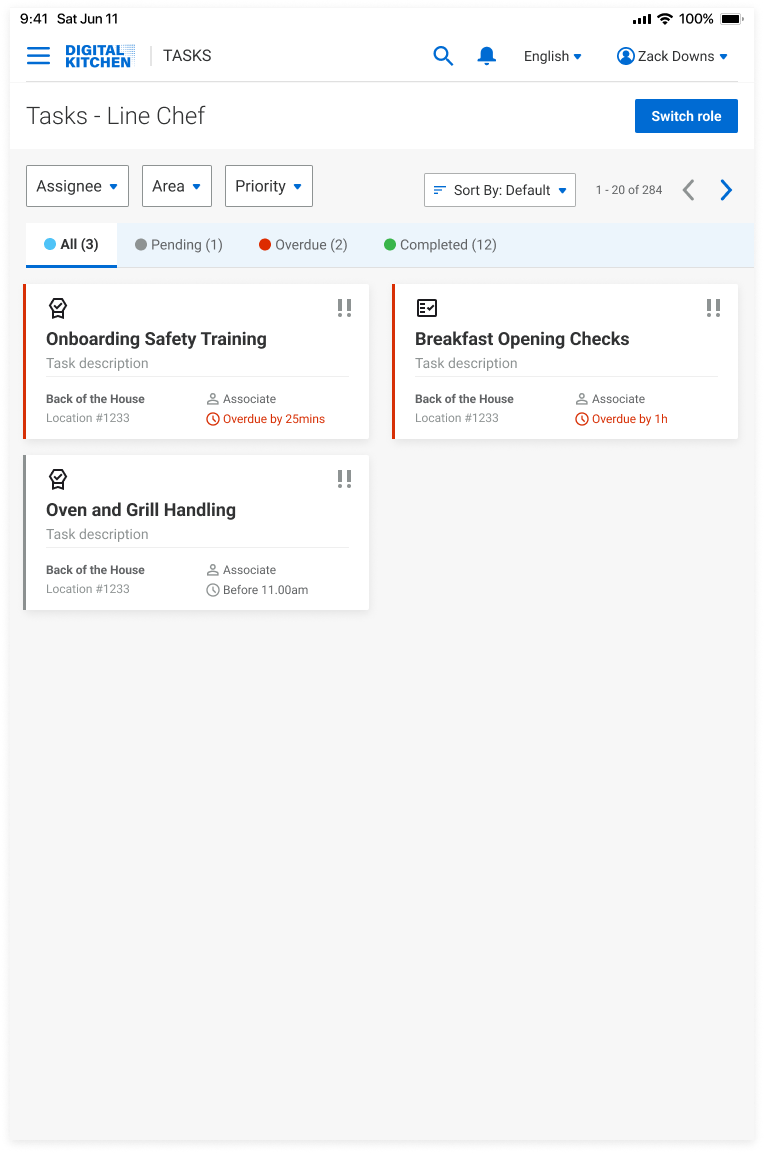
Homepage
- Line workers can sign in as a specific employee, role, or guest.
- Based on their profile, they can view overdue and pending tasks. Having access to completed tasks help stay aligned with overall workflows.
- Icons on task cards help distinguish between training, task lists, and single task.
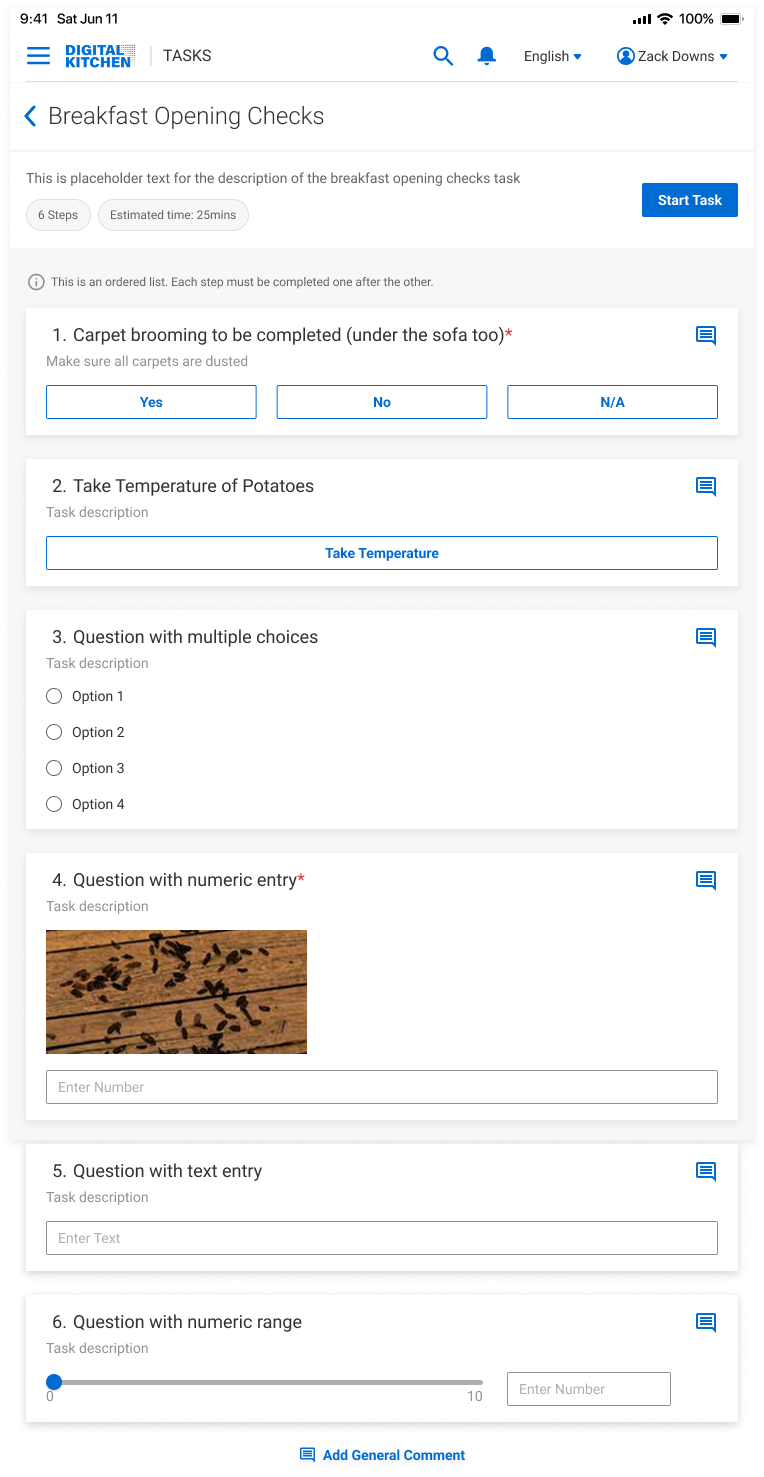
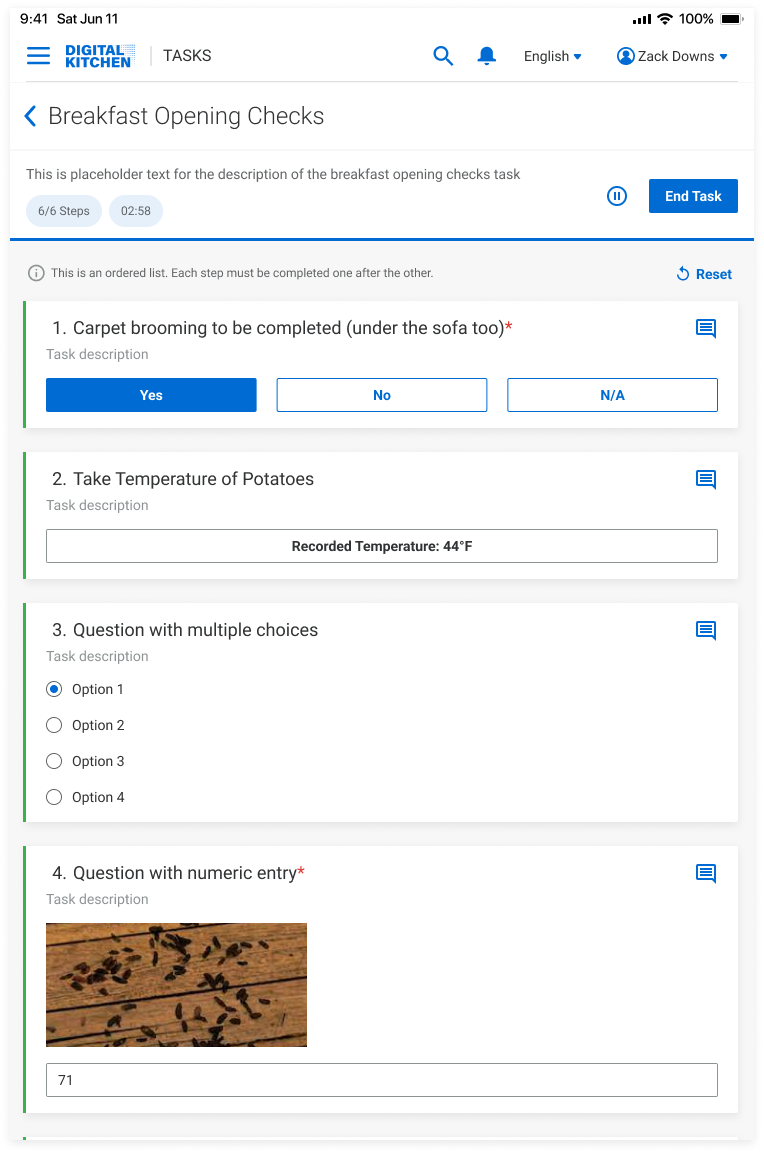
Inside Task List
- Line workers can prioritize tasks based on number of steps/estimated time.
- Lists can be ordered, or not. For ordered lists, they must complete one task to go to the next.
- Progress bars help them to stay motivated and informed.
- Users can start, pause, end tasks, and add comments to specific tasks to inform managers.
Reflections
How I Added Value
Simplified Task Management for Managers
Redesigned task flows to help managers create, assign, and track tasks with ease reducing support needs and saving time
Brought Structure Through Cross-Functional Collaboration
Collaborated with PMs and developers to align on user flows, then created a scalable, role-based sitemap that balanced business needs, technical feasibility, and UX clarity.
Enabled a Smooth and Scalable Handoff
Delivered high-fidelity mockups with documentation and next steps, ensuring the team could confidently move forward after my internship.
Hear from the team
Mehek was a pleasure to work with while she was at Ecolab. She was very helpful as we navigated through our product where I was new in the role. Her questions were always well thought out and made me reason through my ideas, which helped me to understand our goals better and make adjustments to the stories. Mehek is returning to RIT to continue her education now, and we are very sorry to see her go, and I hope that we have the opportunity to work together again. If not, I know that she will make a positive impact wherever she ends up!
Matt Platts
Product Manager, Ecolab
I had the pleasure of working with Mehek as a UX Design Intern at Ecolab over the summer. Mehek was a wonderful addition to the team. She was always happy to take the initiative, delivered beautiful designs for both of the projects she owned, and had consistently great suggestions whether it was for product functionality or process improvements for our UX team. I look forward to following her career and can only hope I have the chance to work with her again!
Zachary Downs
UX Manager, Ecolab